Clerkship 101
Role
Product Designer
Involvement
Product design
Content design
User research
Collaborators
1 Web Developer
Background
Clerkship 101 is an initiative started by a Canadian medical student. Clerkship 101 aims to make clerkship rotation notes and information more accessible to other students through crowdsourcing and contributions.
Note
This project is currently still ongoing and in-progress.
Overview
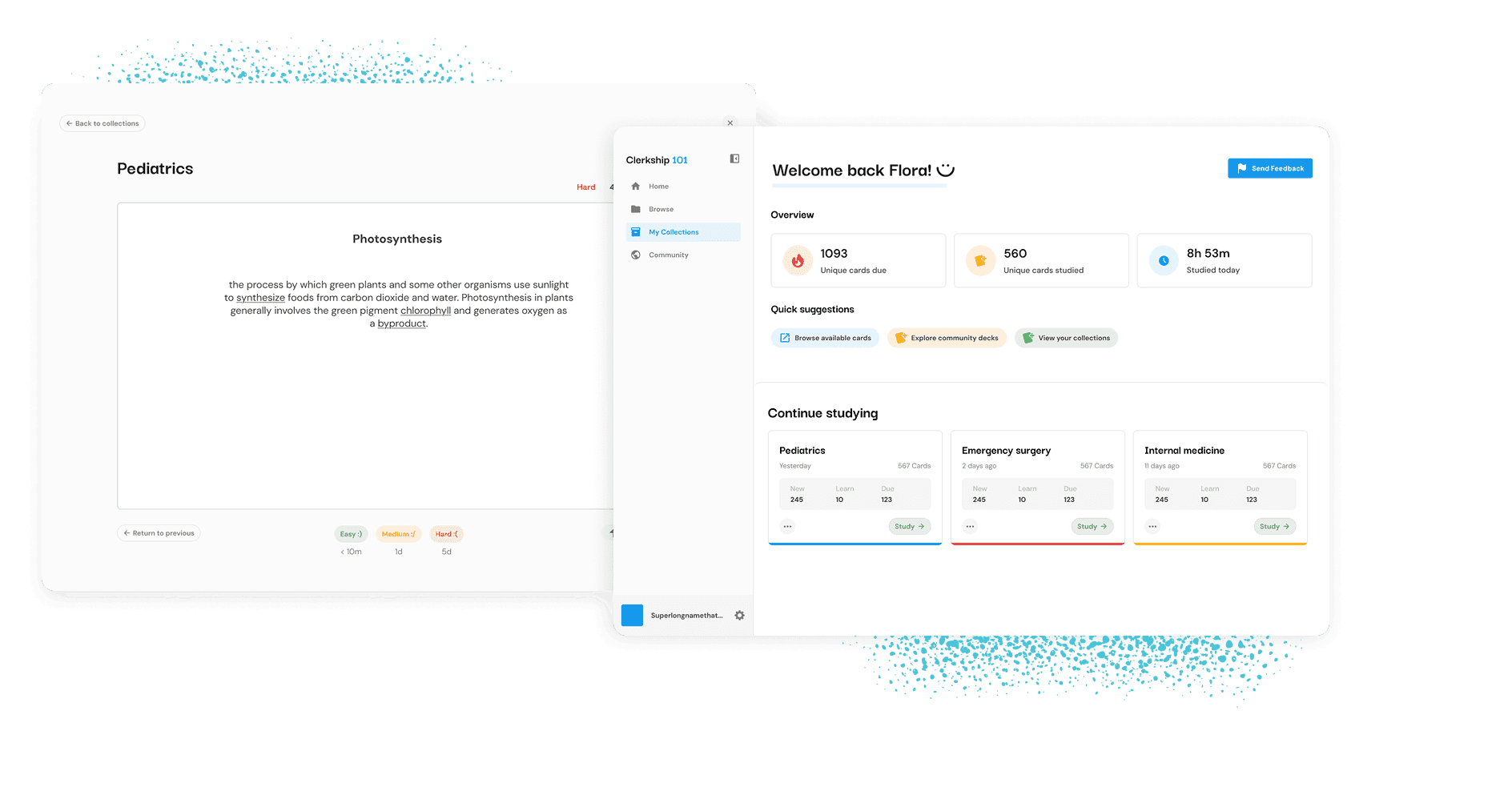
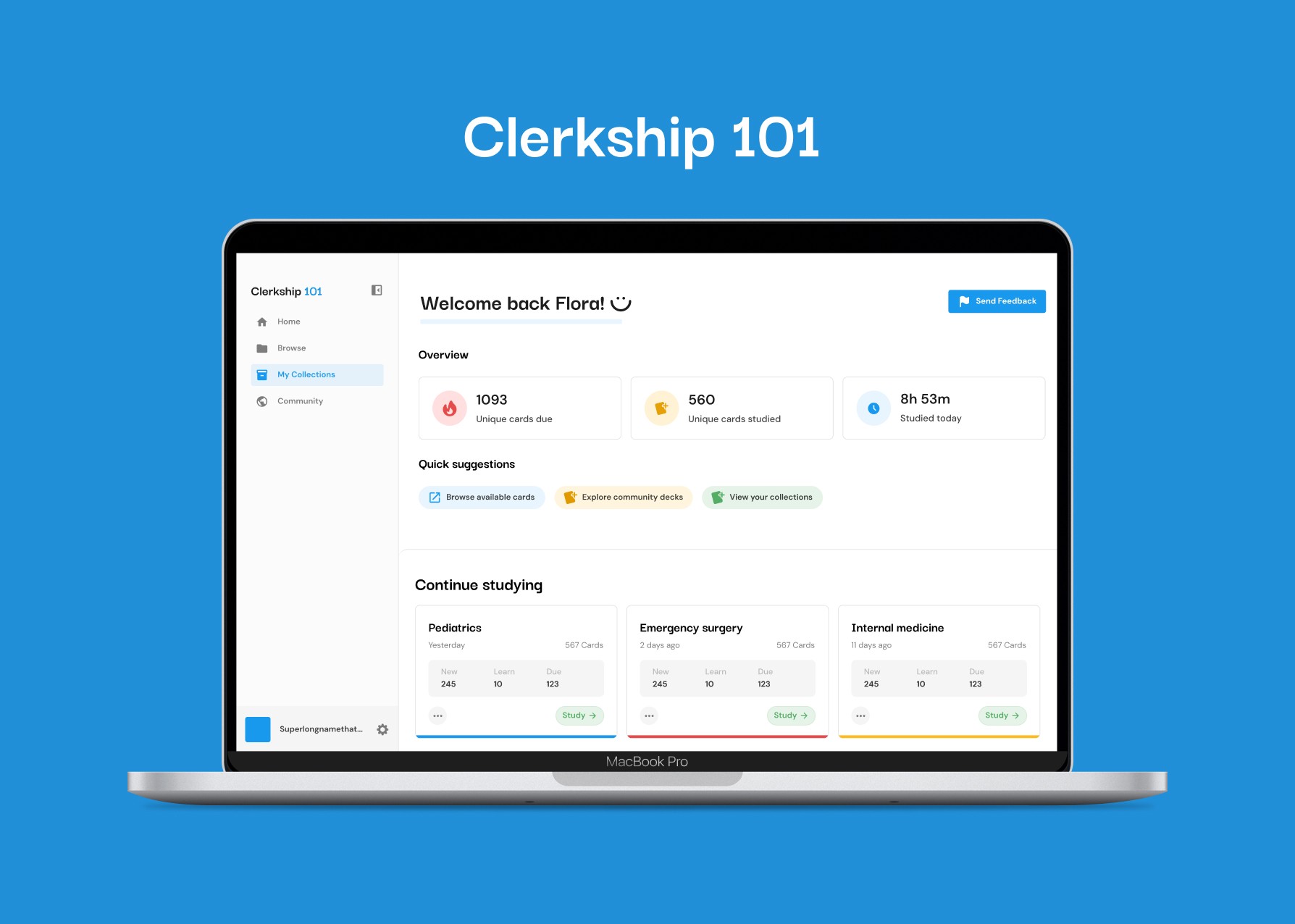
Clerkship 101 is a free-to-use browser-based application that enables medical students to find and study high-yield flashcards to prepare for their clerkship rotations.
In Canadian medical schools, students have to work through 9 core work studies called clerkship rotations. These rotations involve working under practictioners in various teaching hospitals across Canada. Depending on the the subject of the clerkship, they can last 2-4 weeks.
Within these 2-4 weeks, medical students must learn, study, and memorize any concepts that they are required to know when working. Clerkship 101 aims to provide students with these resources to help them succeed.
I worked with Luke, the founder, developer, and a current resident student to bring Clerkship 101 to life.
Launch status
This project is still ongoing and in-progress!
Highlights
Some highlights of the project.
Dashboard
Latest designs
The challenge
It can be difficult for medical students to study important topics during their clerkship rotations. There are four main challenges that a medical student faces:
Time: it takes a lot of time for a student to create their own notes and flashcards.
Money: many online question banks are very expensive.
Scope: many existing knowledge banks or decks are too large for students who are only searching for the essential knowledge for their clerkship rotation.
Inexperience: students don't know which topics are the most relevant or important for rotations.
Problem statement
How can we make knowledge for clerkship rotations more accessible and convenient for Canadian medical students?
The solution
Clerkship 101 provides medical students importance-ranked knowledge bank to prepare and excel for their clerkship rotations.
Access a database of flashcards
Clerkship 101 offers a database of use volunteer-created flashcards that can be accessed through the browse page. The flashcards are pre-stored into clerkship rotation topics (For example, internal medicine, family medicine, emergency medicine, and surgery) as community decks, for users to duplicate, edit, and study from.
Each term can also be upvoted, enabling students to see which cards are the most important.
Spaced repetition
This feature enabled the table of contents to stick to the side of the page as the user read the doc.
Research summary
Project outline
Required features
Based on the project outline, Clerkship 101 has five main pages. Each of these pages had their own set of required features:
Dashboard
Shows current statistics for all collections
Total cards due today
Total cards studied today
Shows statistics for collections individually
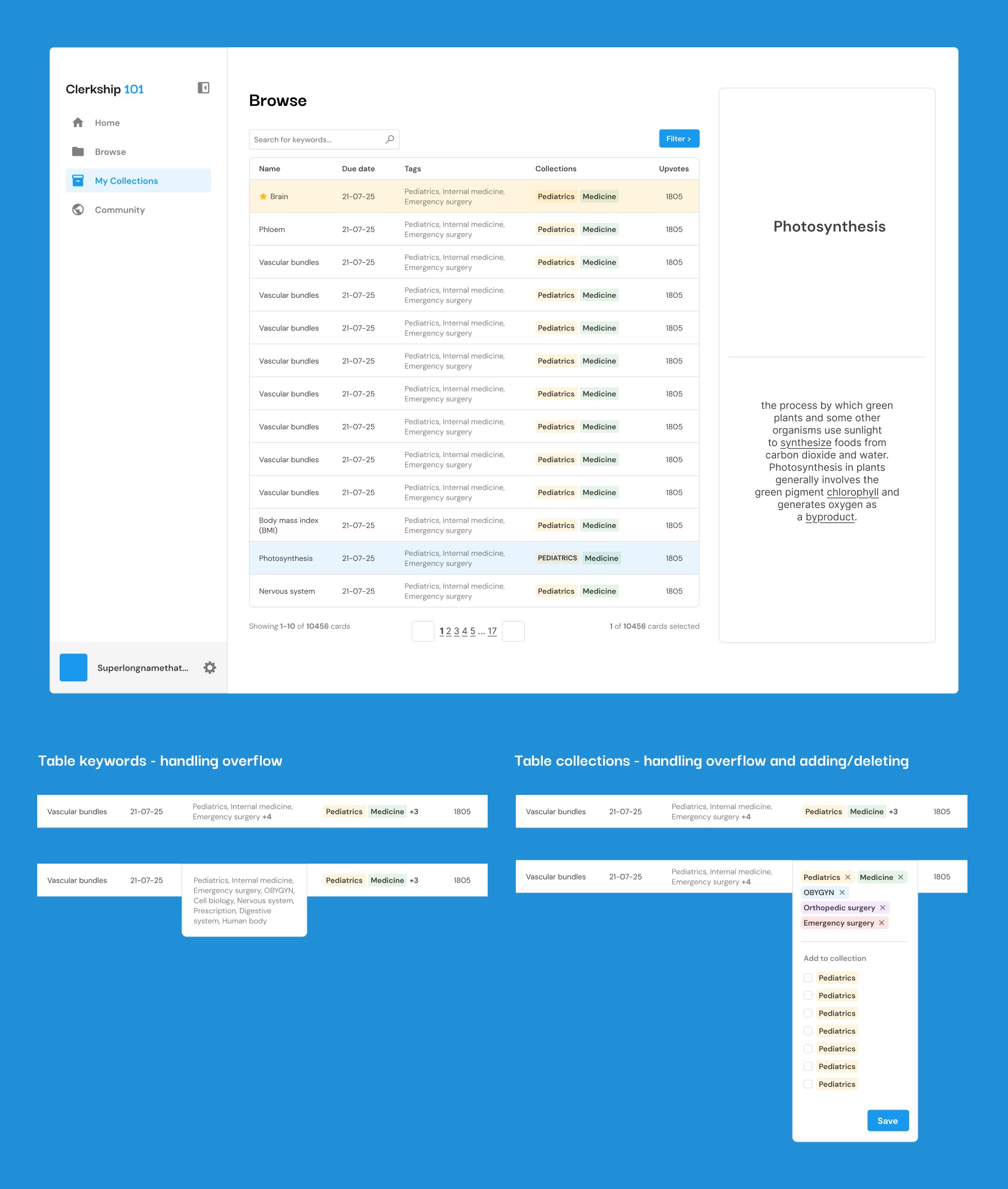
Browse
Preview of each card
Filtering by keywords and collections
Search for a card
Add/remove a card from a collection
Create a new collection from selecting multiple cards
Collections
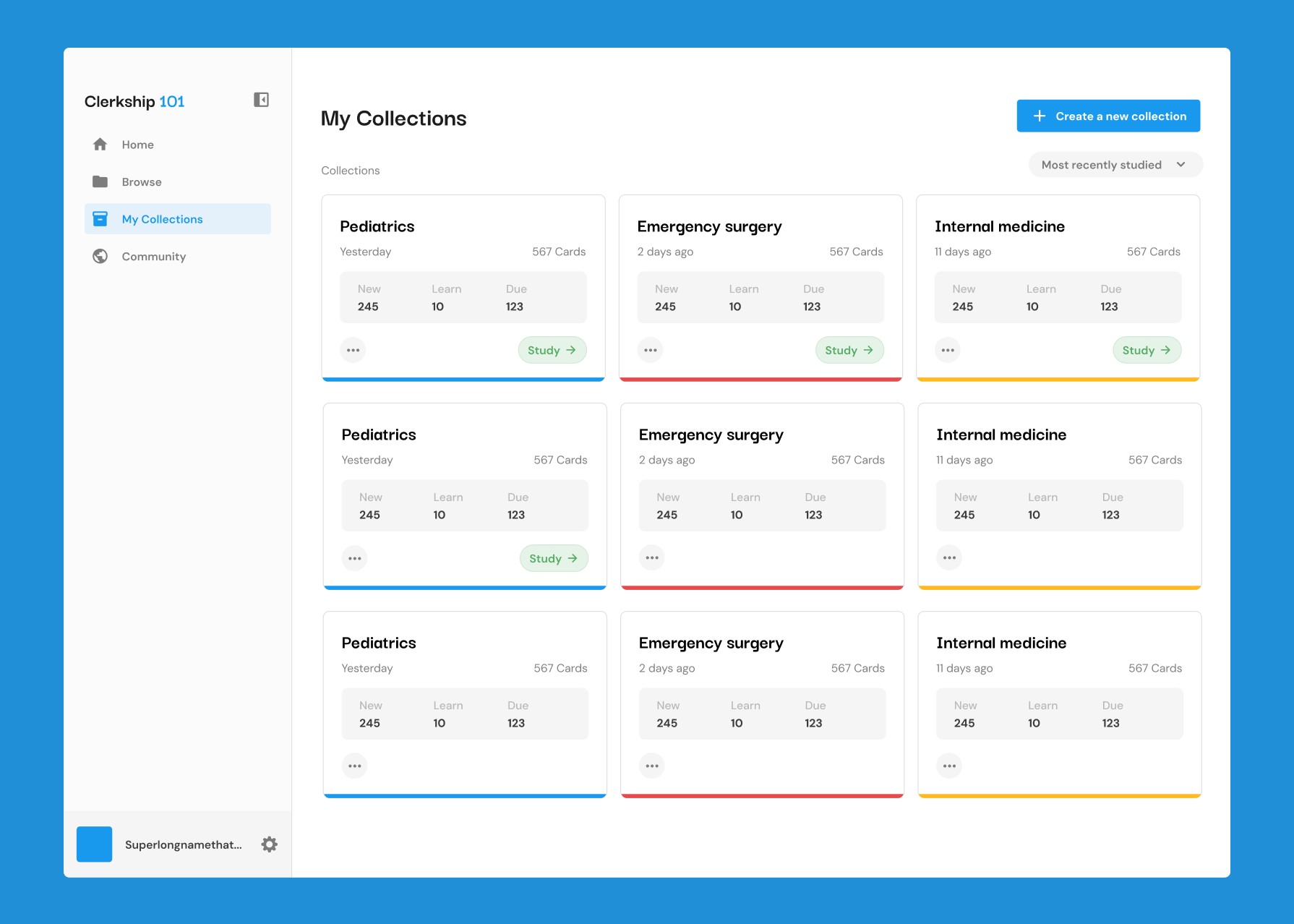
Show all of a user's collections
Create a new collection
Delete a collection
Rename a collection
Study a collection
View all the cards in a collection
Community
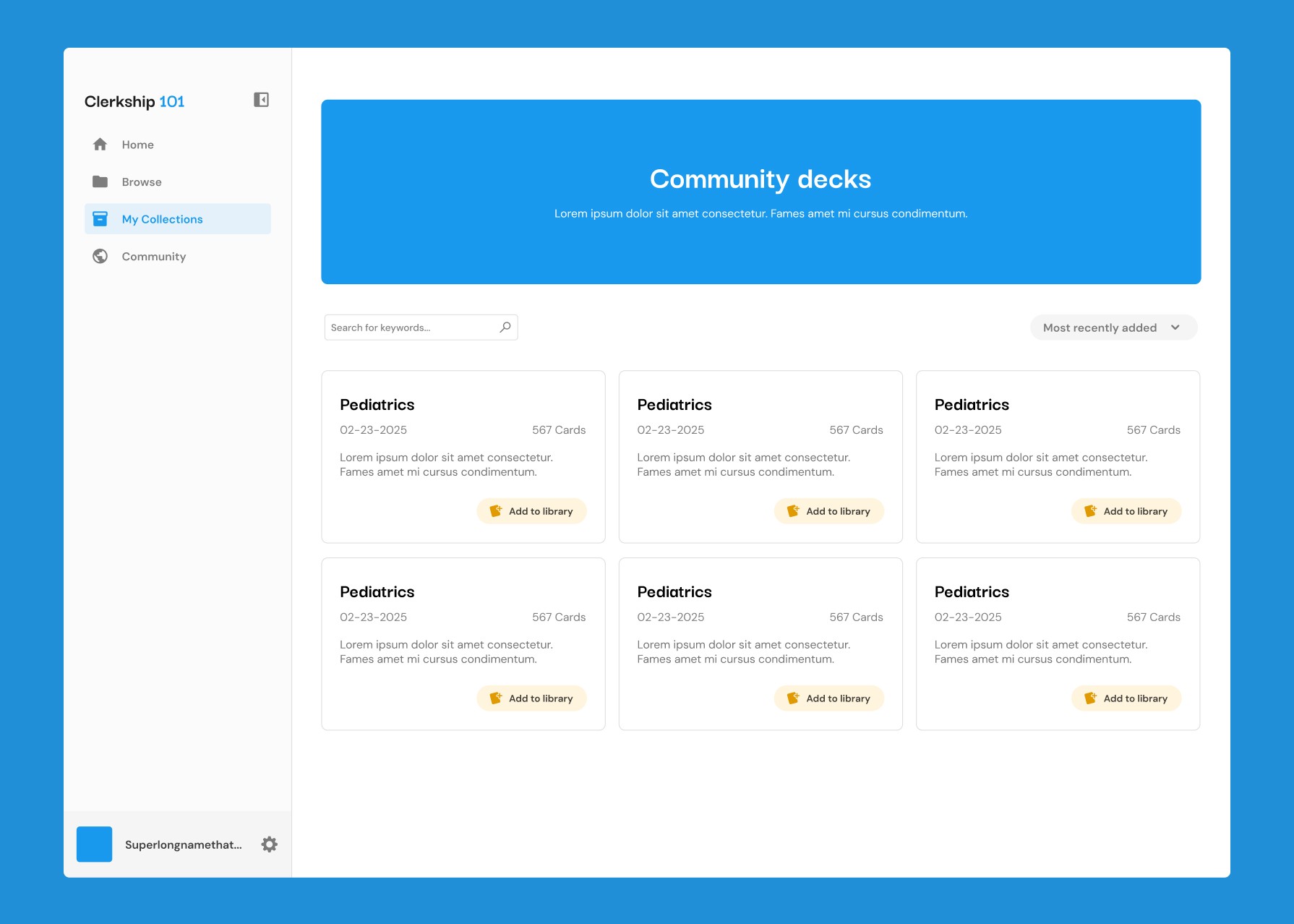
Access pre-grouped collections
Allow the user to copy a community collection into their own collections
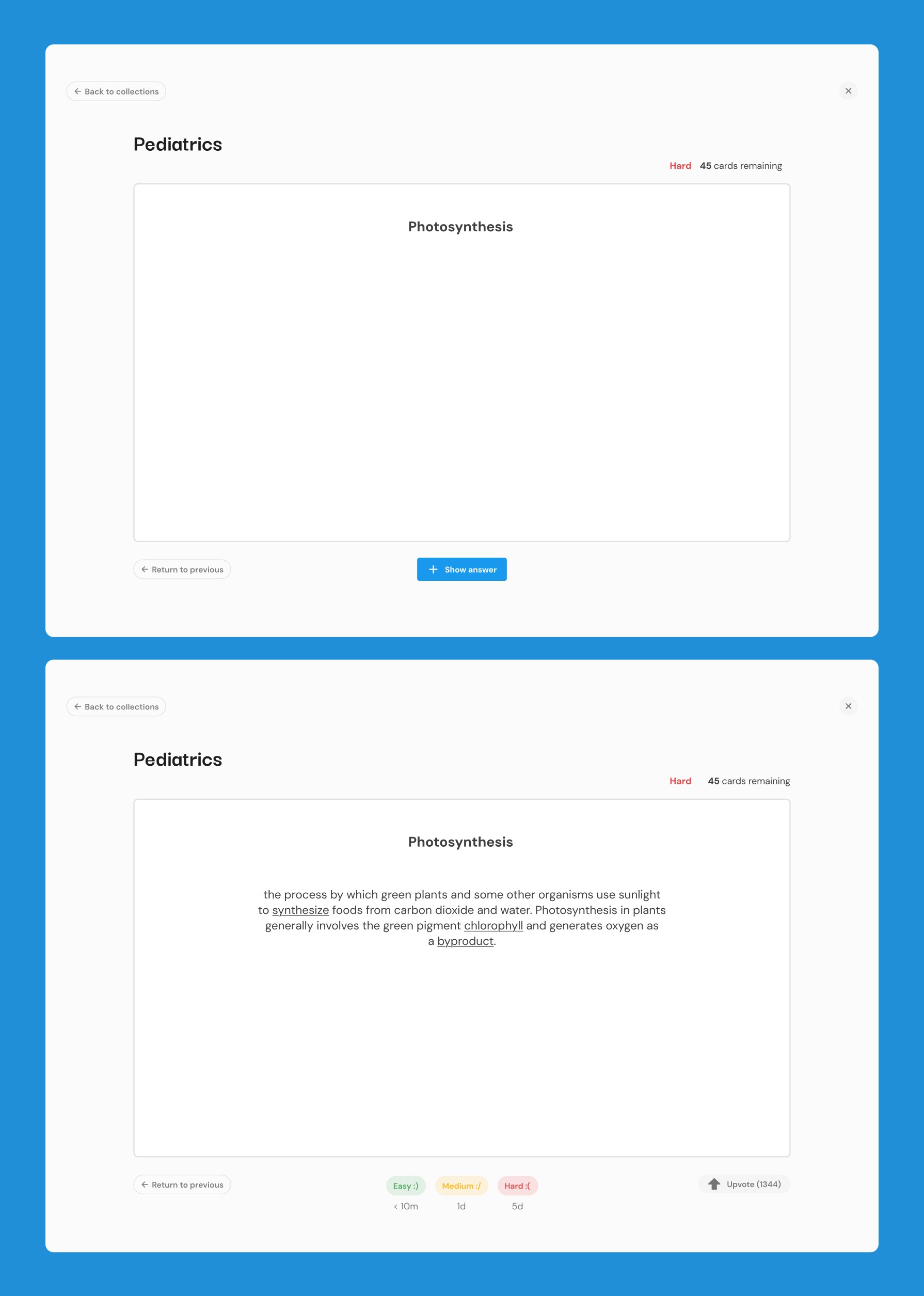
Study
Show card one by one
Show answer and description
Spaced repetition cues (hard, easy, good)
Undo and return to previous card
Basic card stats
Upvote cards
Existing solutions
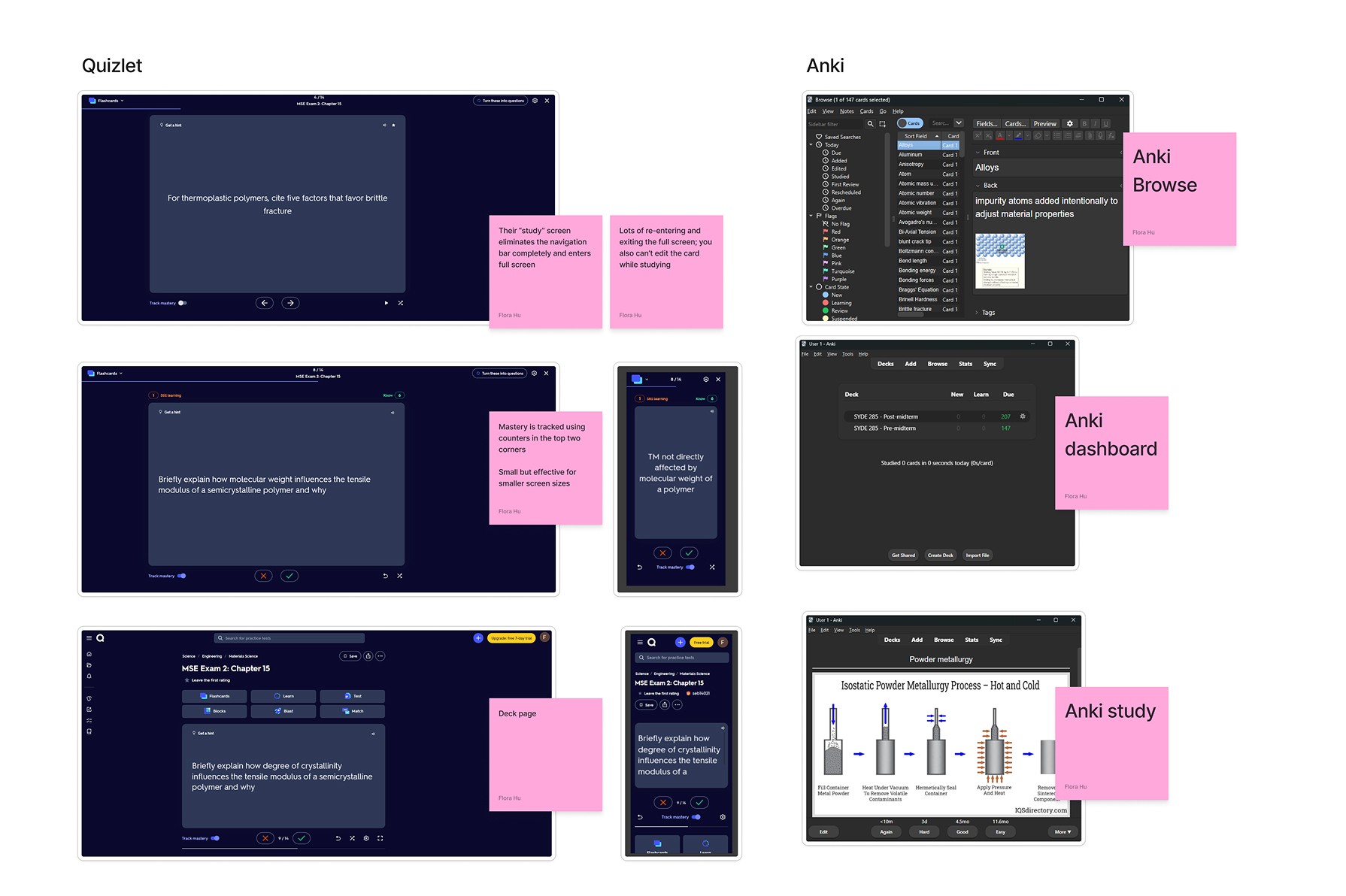
We looked at existing flashcard and space repetition study apps to see what features users were already familiar with. We mainly looked at two existing solutions:
Quizlet
Anki
Ankl is currently the most popular app for spaced repetition studying for medical students.
Design process
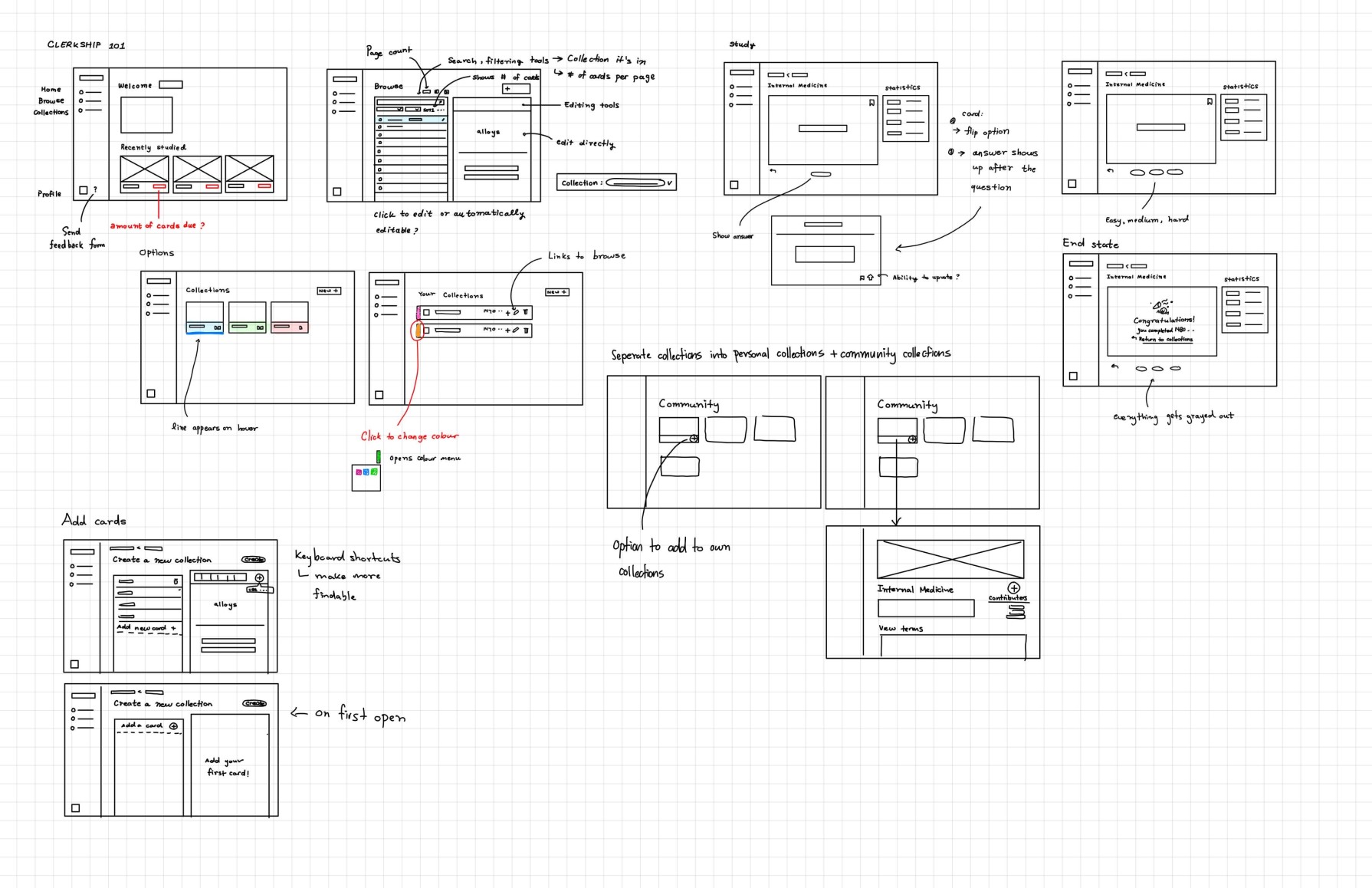
Low-fidelity sketches
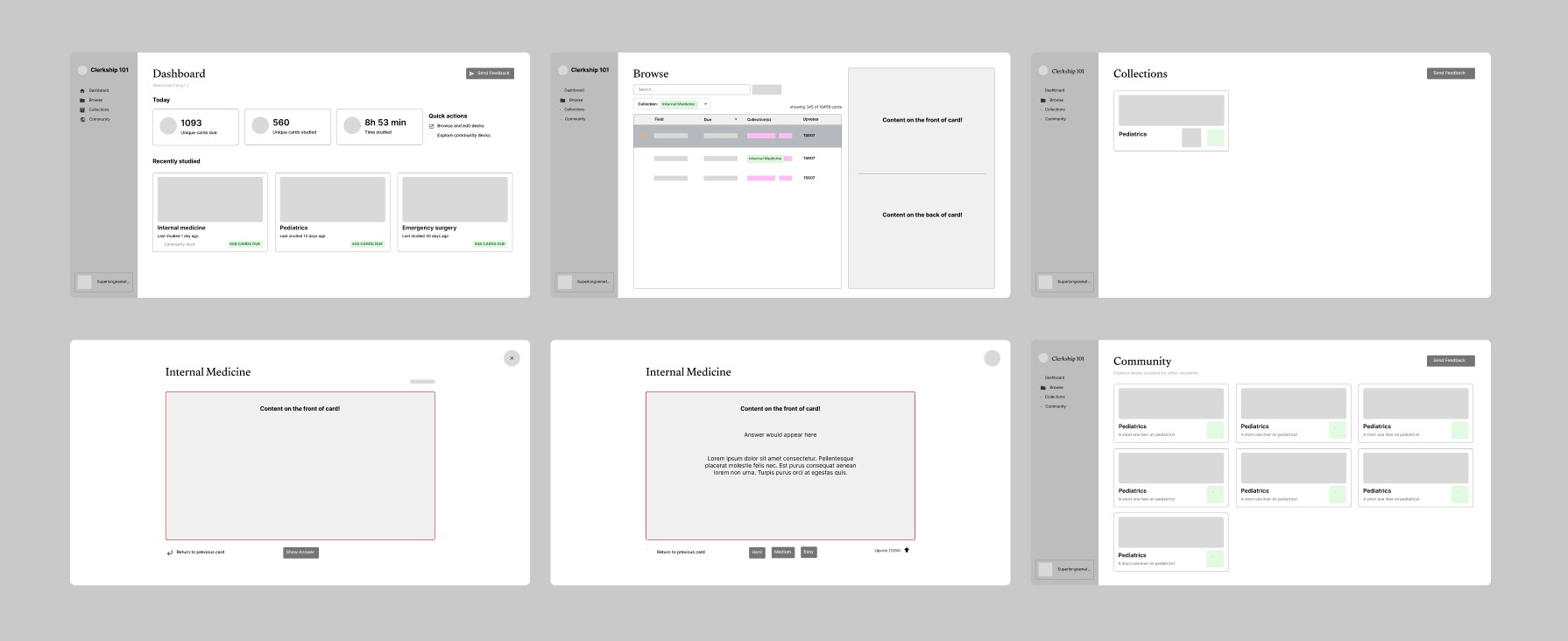
Wireframing
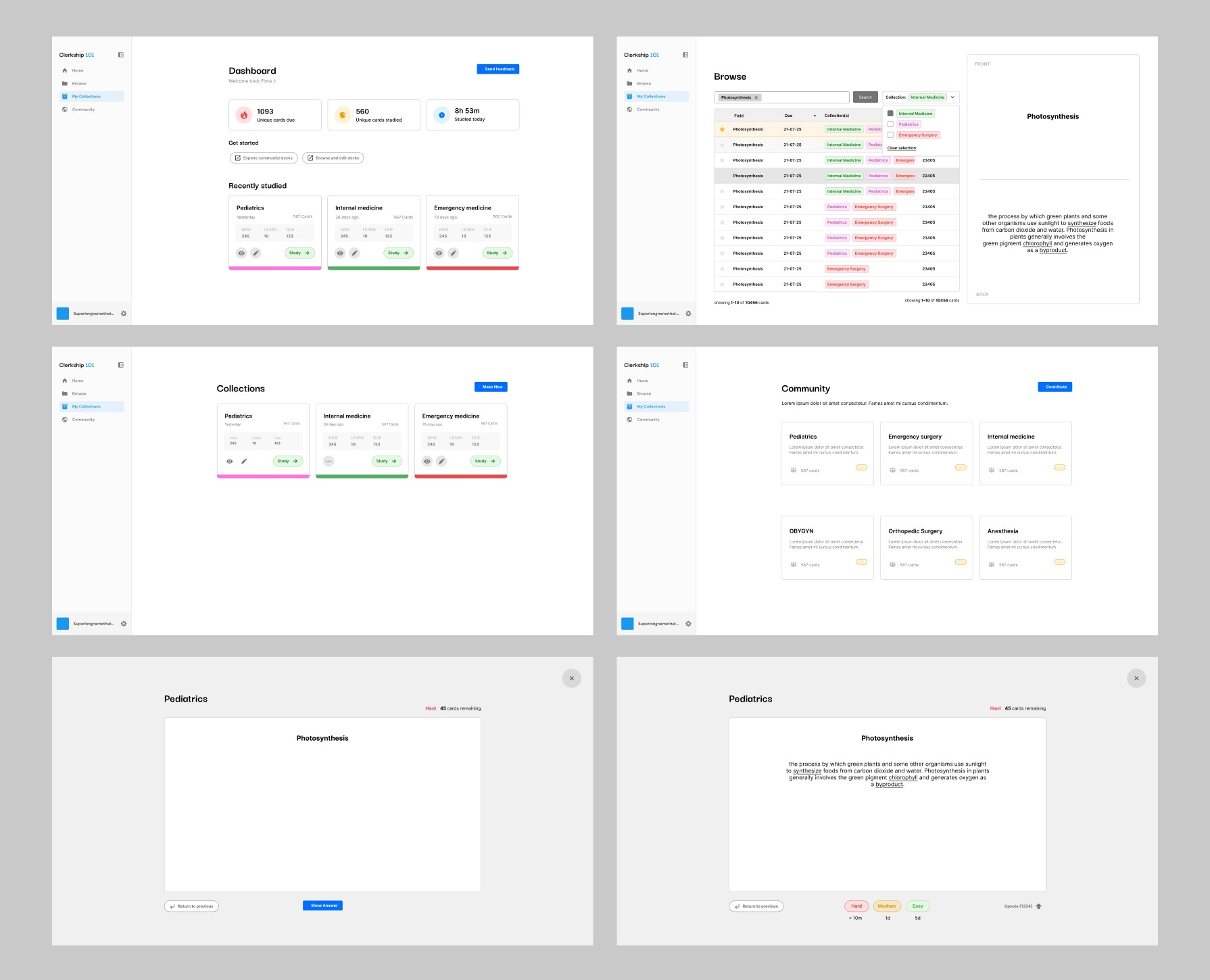
Building iterations
I designed a higher fidelity mockup of the wireframes. This stage enabled me to gain feedback from stakeholders, where several shortcomings were taken into account.
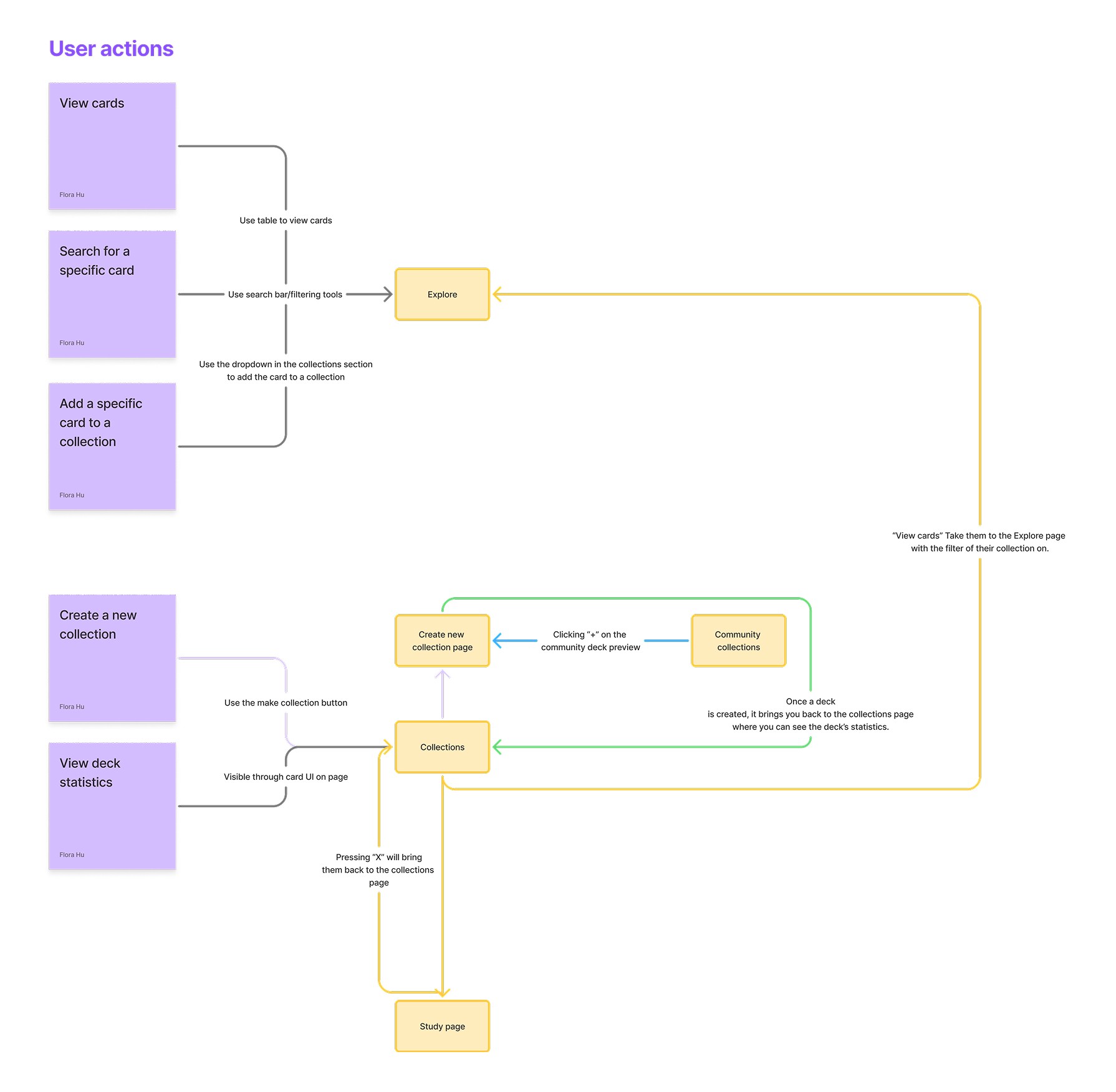
One of the shortcomings was editing a collection. Since users can only create collections from a database of pre-existing cards, another screen needed to be made to enable users to add and remove cards.
Updating the user flow
As a result of the shortcomings, we took a step back and re-evaluated how we wanted our users to traverse the application.
Visual elements
For Clerkship 101, I focused on creating a minimal and clean user experience.
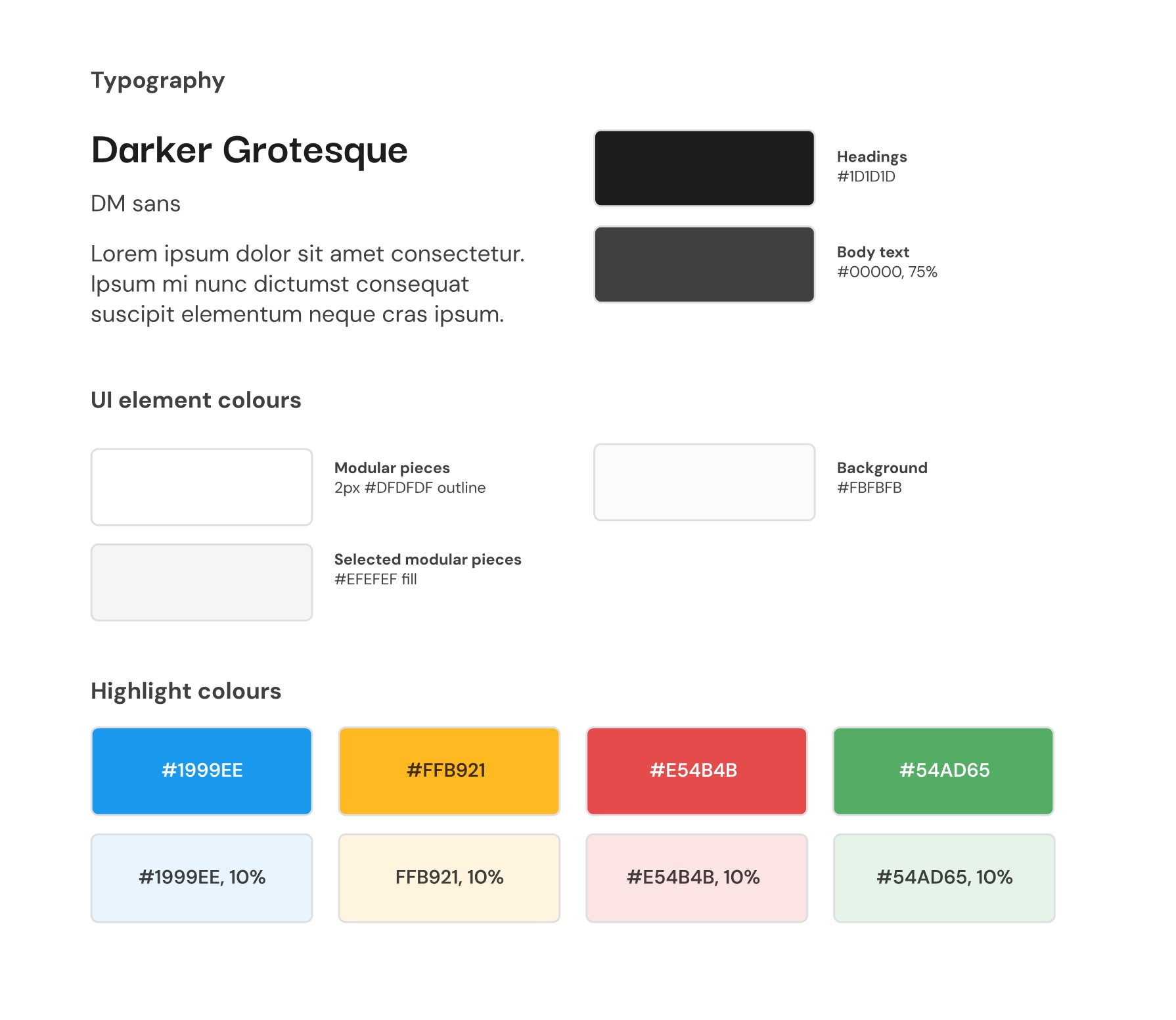
Design system
Typography and colours
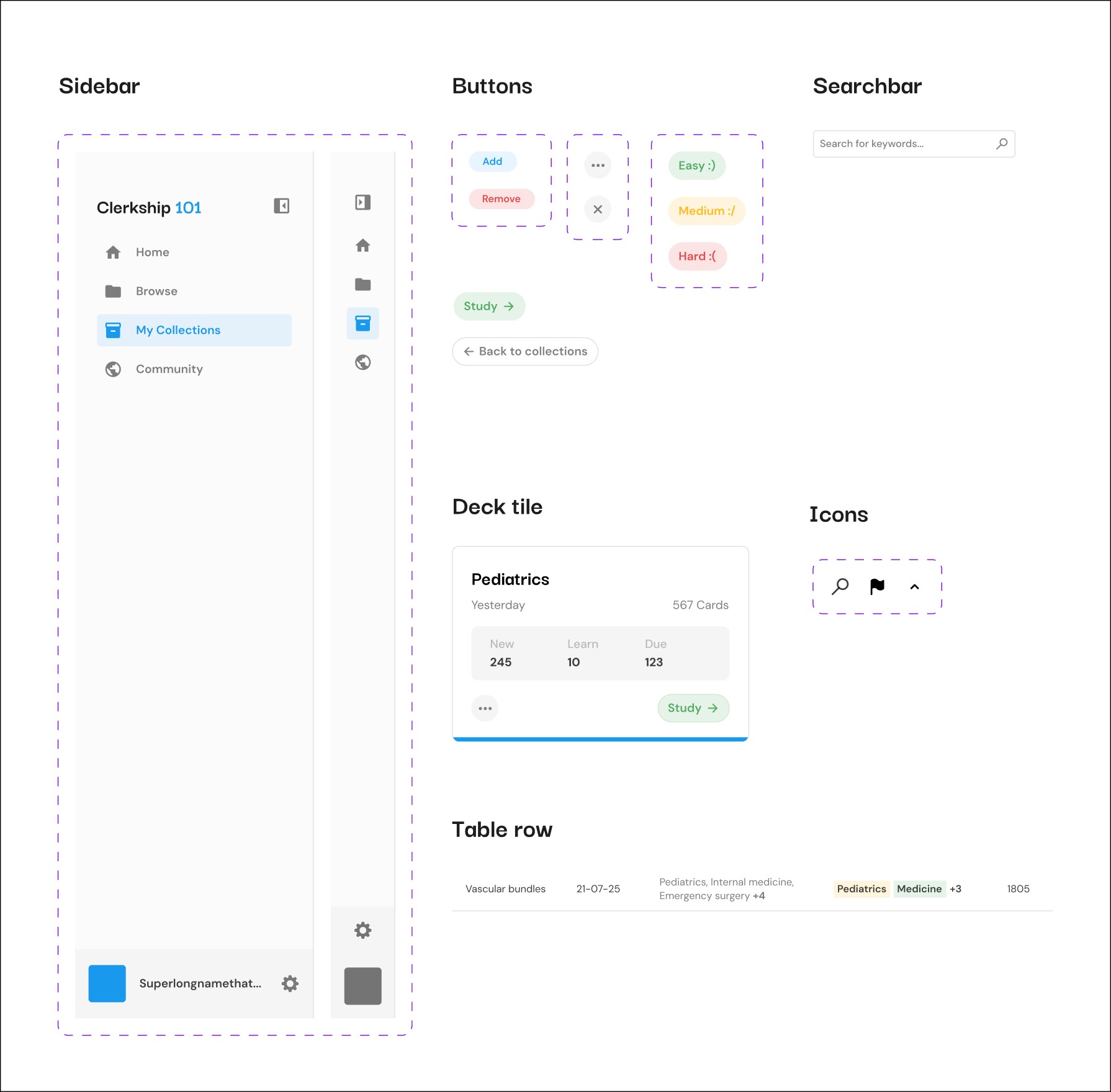
Components
Key features
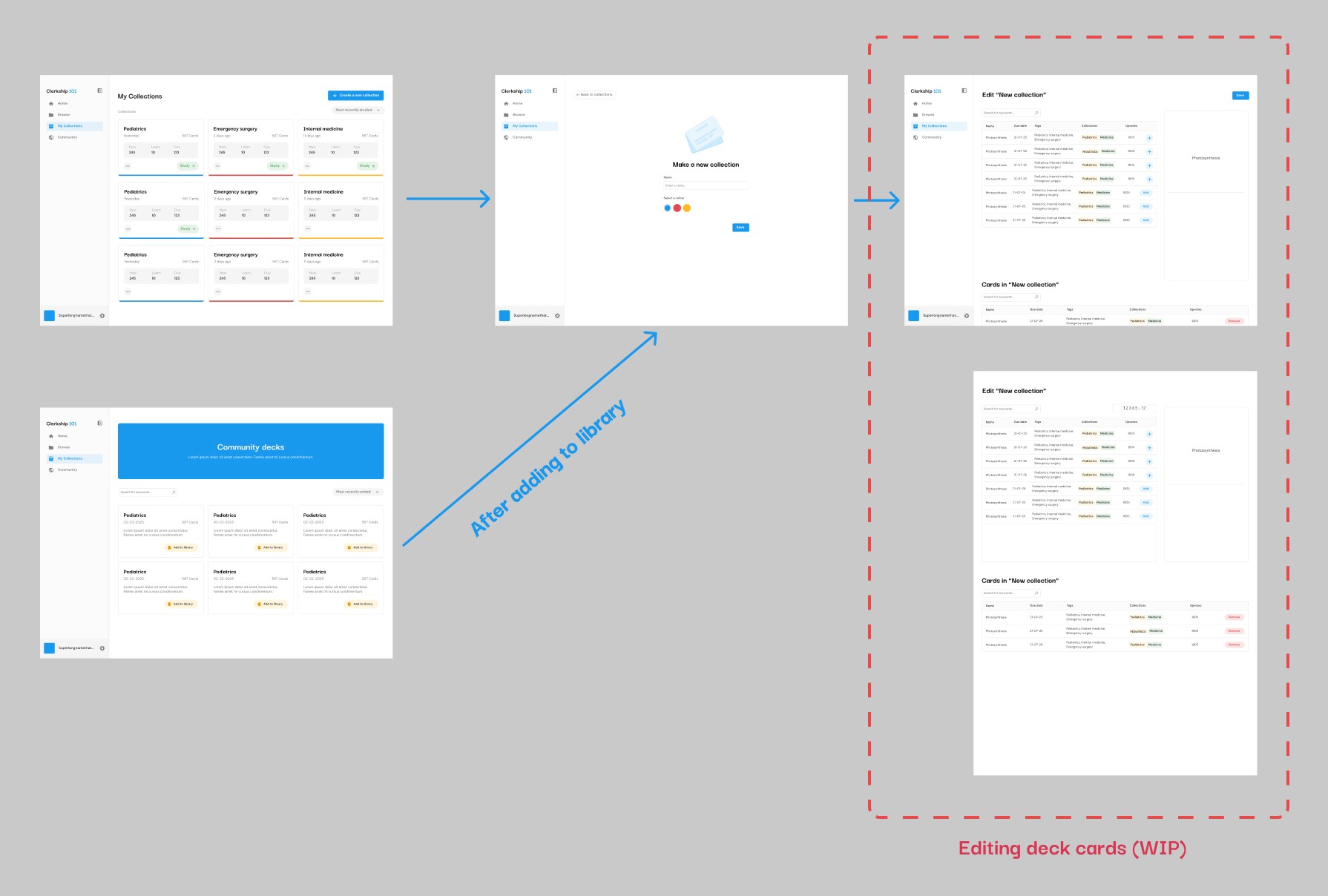
Creating decks from Community decks
This feature enables users to duplicate a deck from the Community decks to edit, and change to their liking.
Note
The flow and screens for editing a deck is currently still in-progress.
Desktop responsiveness
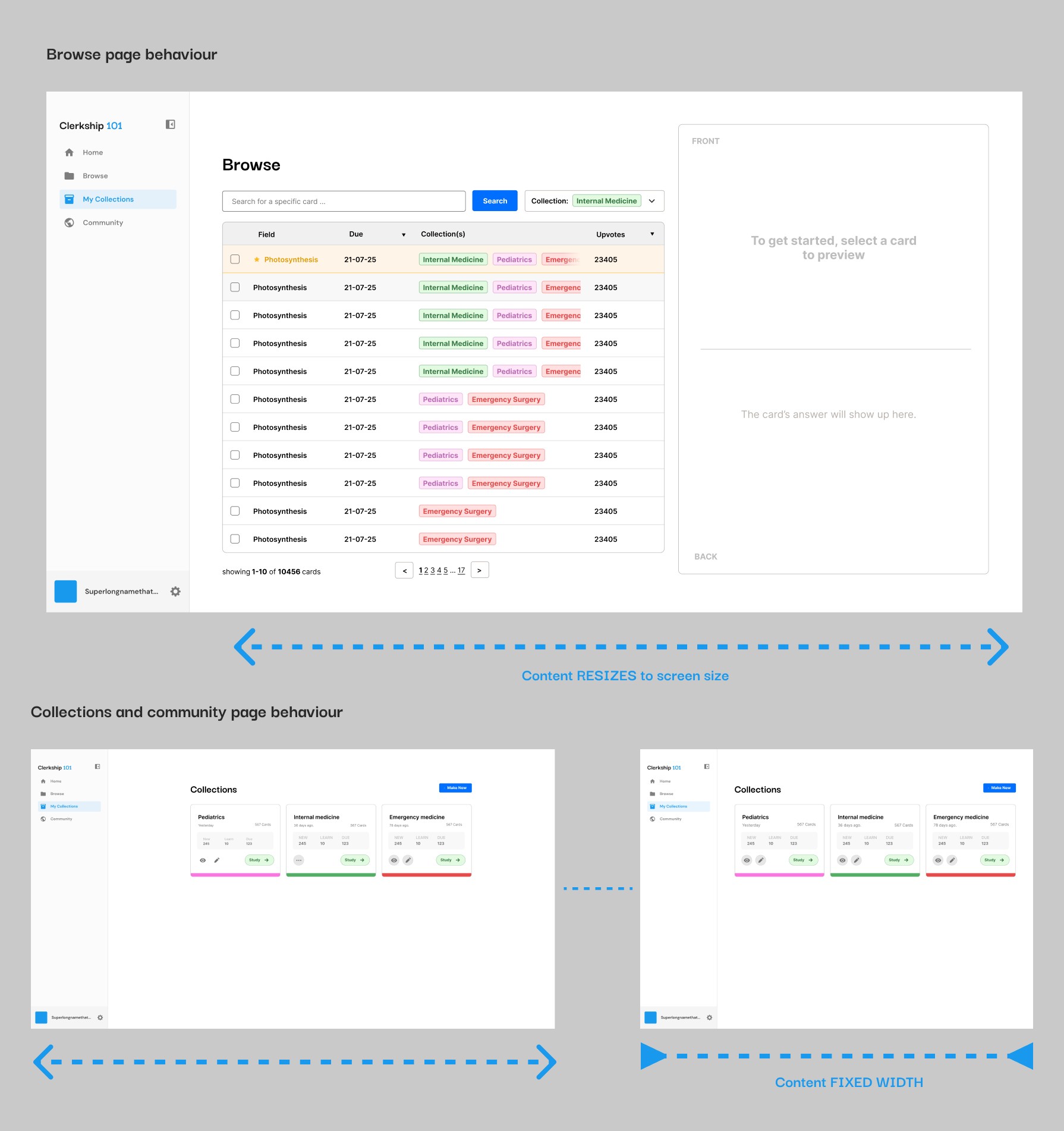
Certain pages have different shrinking behaviour to ensure desktop responsiveness. This ensures that the site responds well to screen shifting and re-sizing when studying.
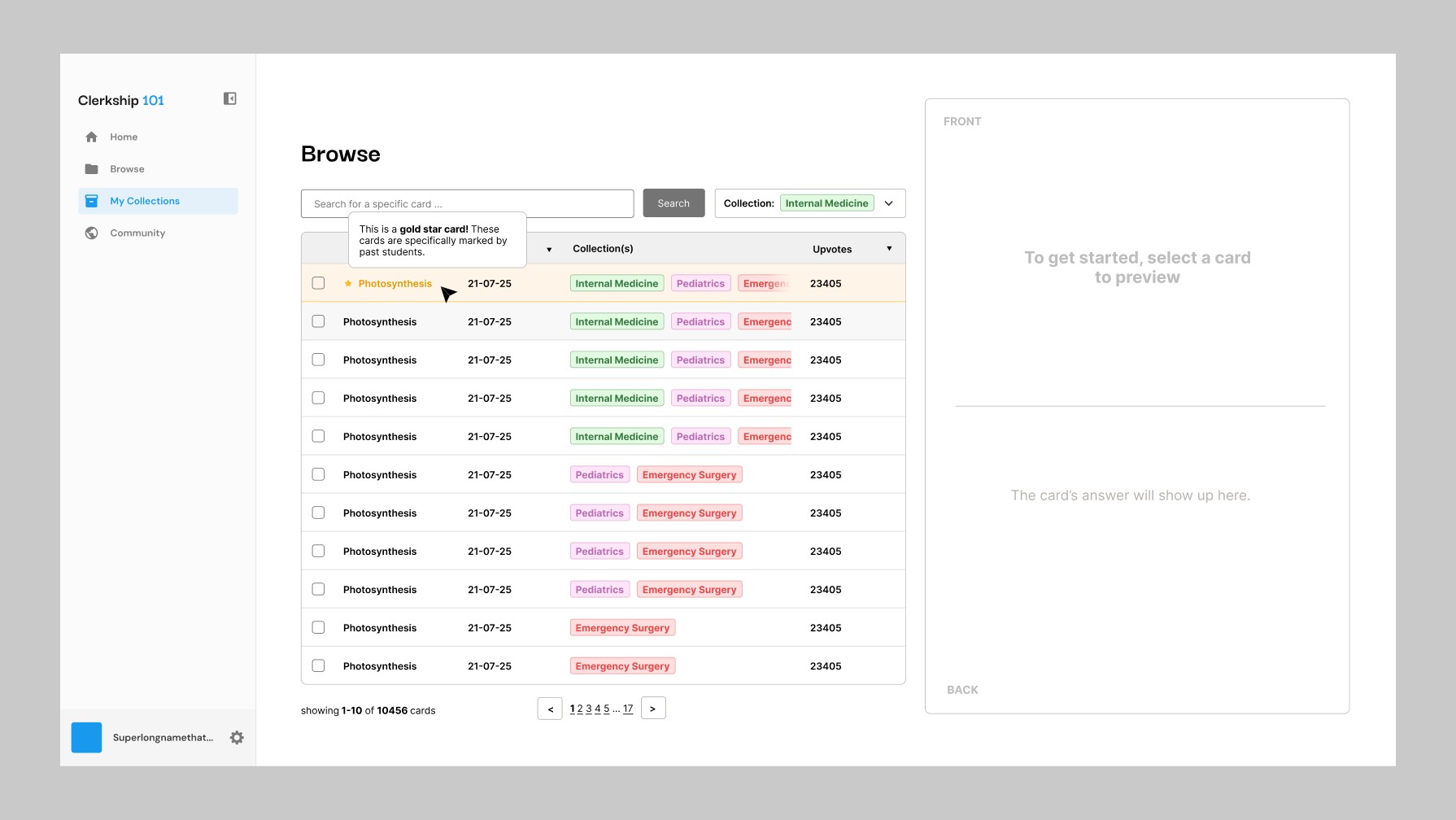
Gold star system
The gold star system highlights certain cards that are very important. Gold star cards are chosen by contributing students, and will appear highlighted in the Browse table.
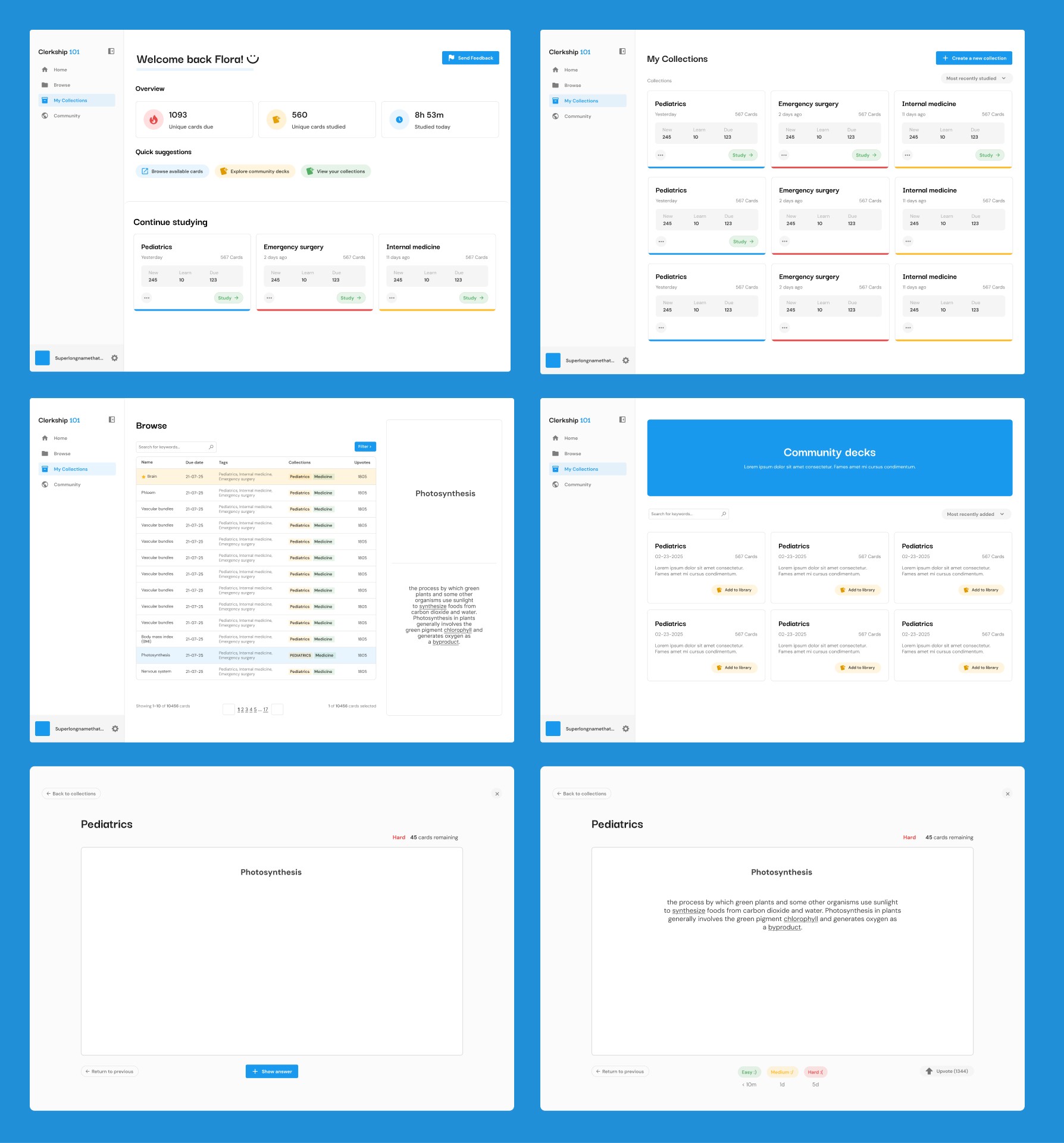
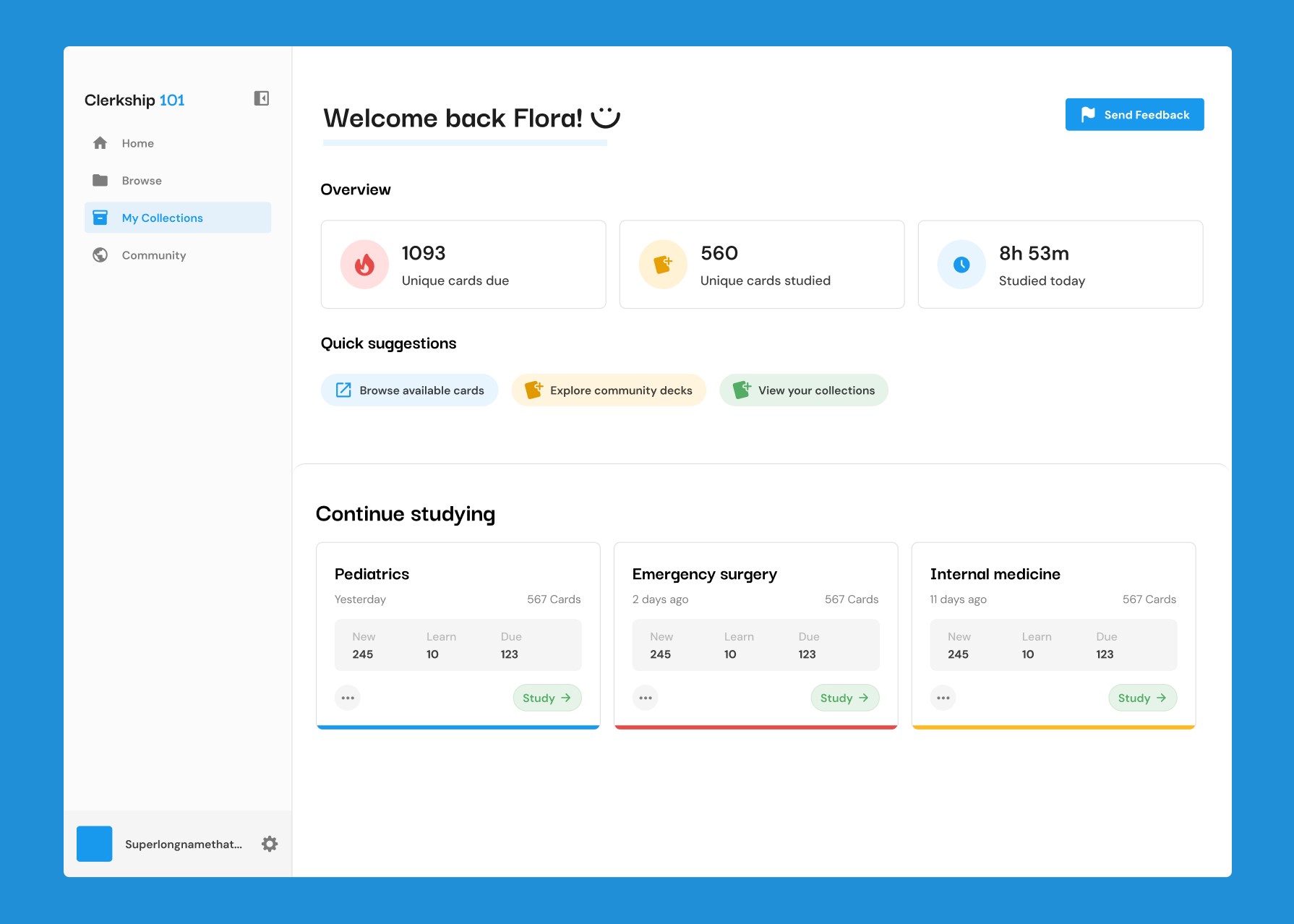
Latest designs
Other than the homepage improvements, other key features were implemented on content pages and others.
Dashboard
This feature enabled the table of contents to stick to the side of the page as the user read the doc.
Browse
This feature enabled the table of contents to stick to the side of the page as the user read the doc.
Collections
This feature enabled the table of contents to stick to the side of the page as the user read the doc.
Study
This feature enabled the table of contents to stick to the side of the page as the user read the doc.
Community
Parent pages
This feature enabled the table of contents to stick to the side of the page as the user read the doc.
Special thanks
A special thanks to Luke, who started and is currently the sole developer for Clerkship 101!