Building reusable components for internal knowledge bases
Role
Content Designer
Involvement
Product design
Content design
User research
Collaborators
1 Technical Writer
Background
Behaviour Interactive (BHVR) is Canada’s largest independent game developer and publisher. BHVR has developed a vast portfolio of games, with their most popular IP being Dead by Daylight.
Overview
A knowledge base is a centralized space of information for internal use within an organization. These knowledge bases contain guides, references and other documents that are useful for people to do their daily tasks.
At BHVR, these knowledge bases are hosted on Confluence.
My goal was to improve the findability of information in these knowledge bases. I discovered new ways to leverage Confluence’s capabilities (a lot of CSS!) to create new digital workflows to improve the overall user experience.
To offer more flexibility, I built reusable Confluence components that people can use to build new types of layouts.
Note
This case study will be primarily covering the design of the technical direction knowledge base homepage, but will showcase how we used these components to other spaces.
Launch status
Reusable components and homepage designs were implemented in BHVR's internal Confluence knowledge bases starting from June 2025!
Highlights
Some highlights of the project. For the full screens, check out Final designs.
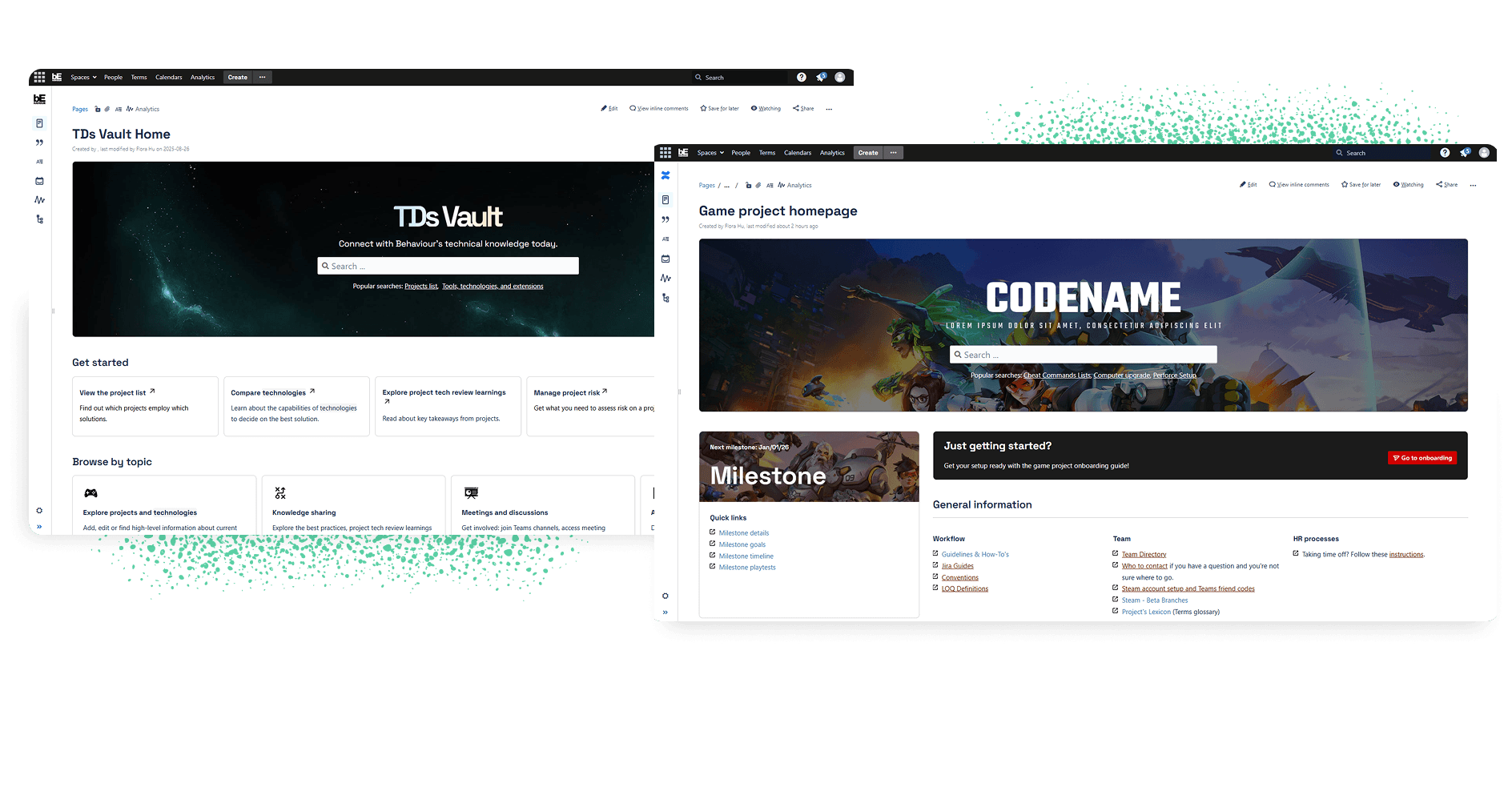
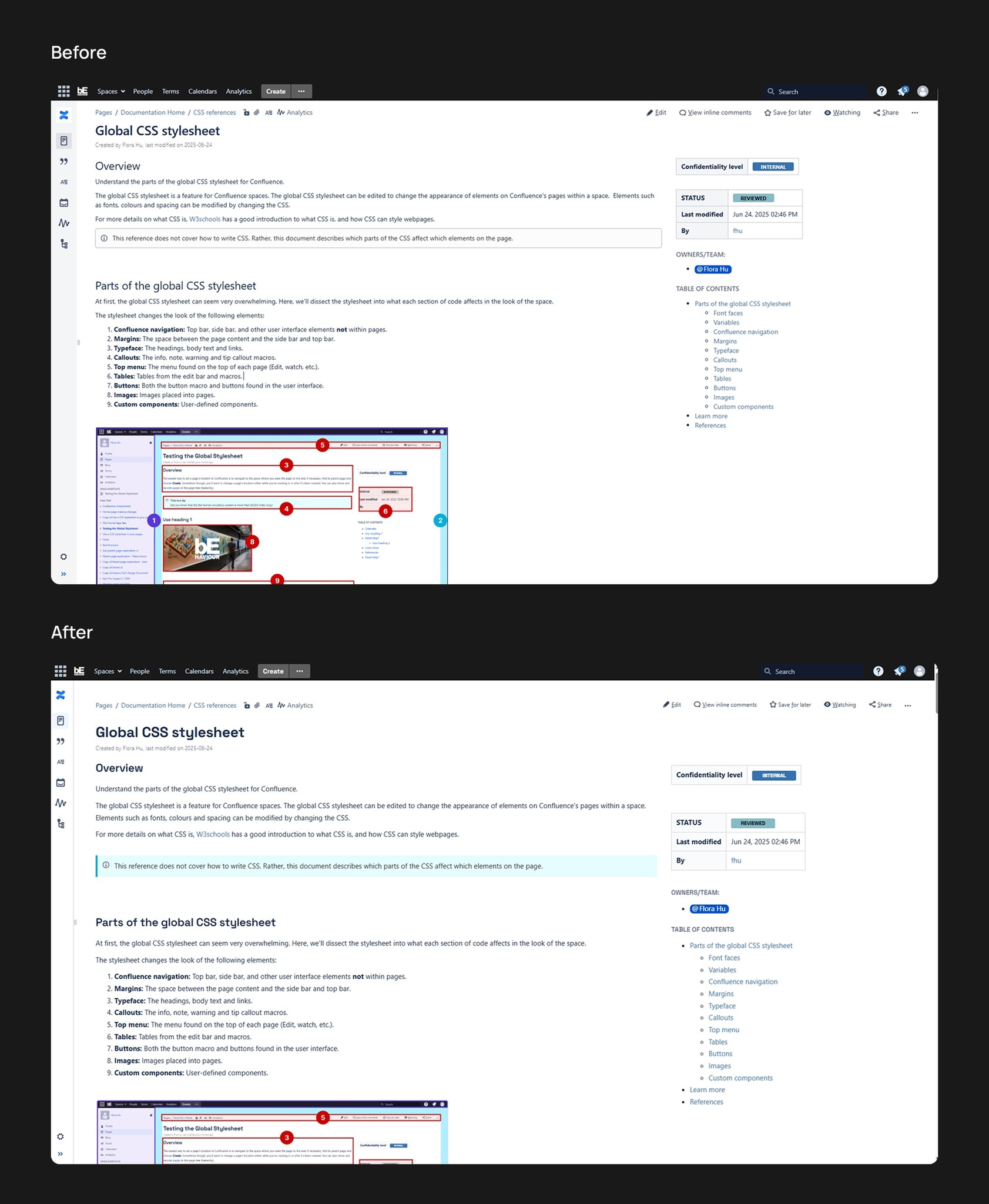
Technical direction knowledge base homepage revamp
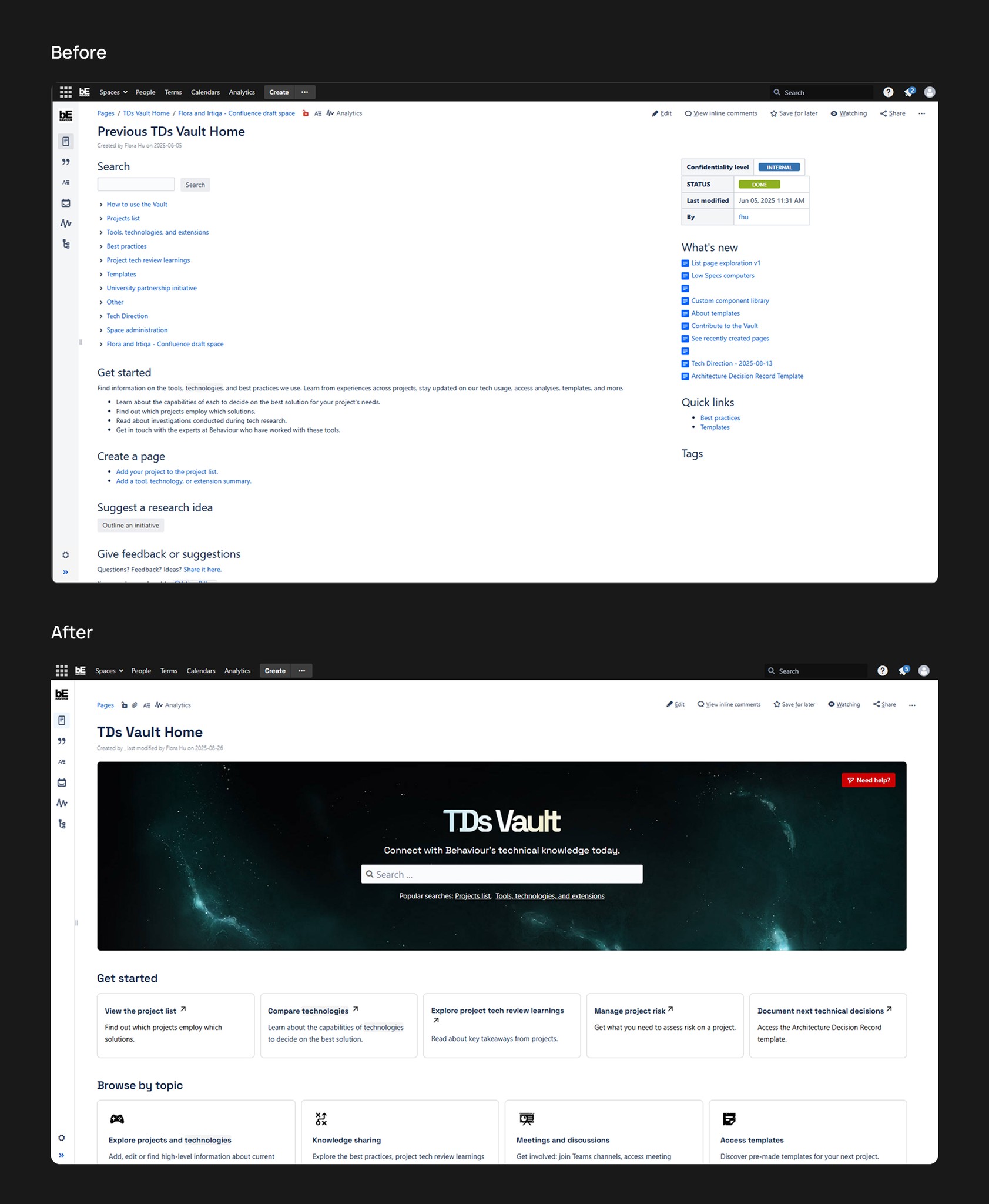
Confidential game project homepage revamp
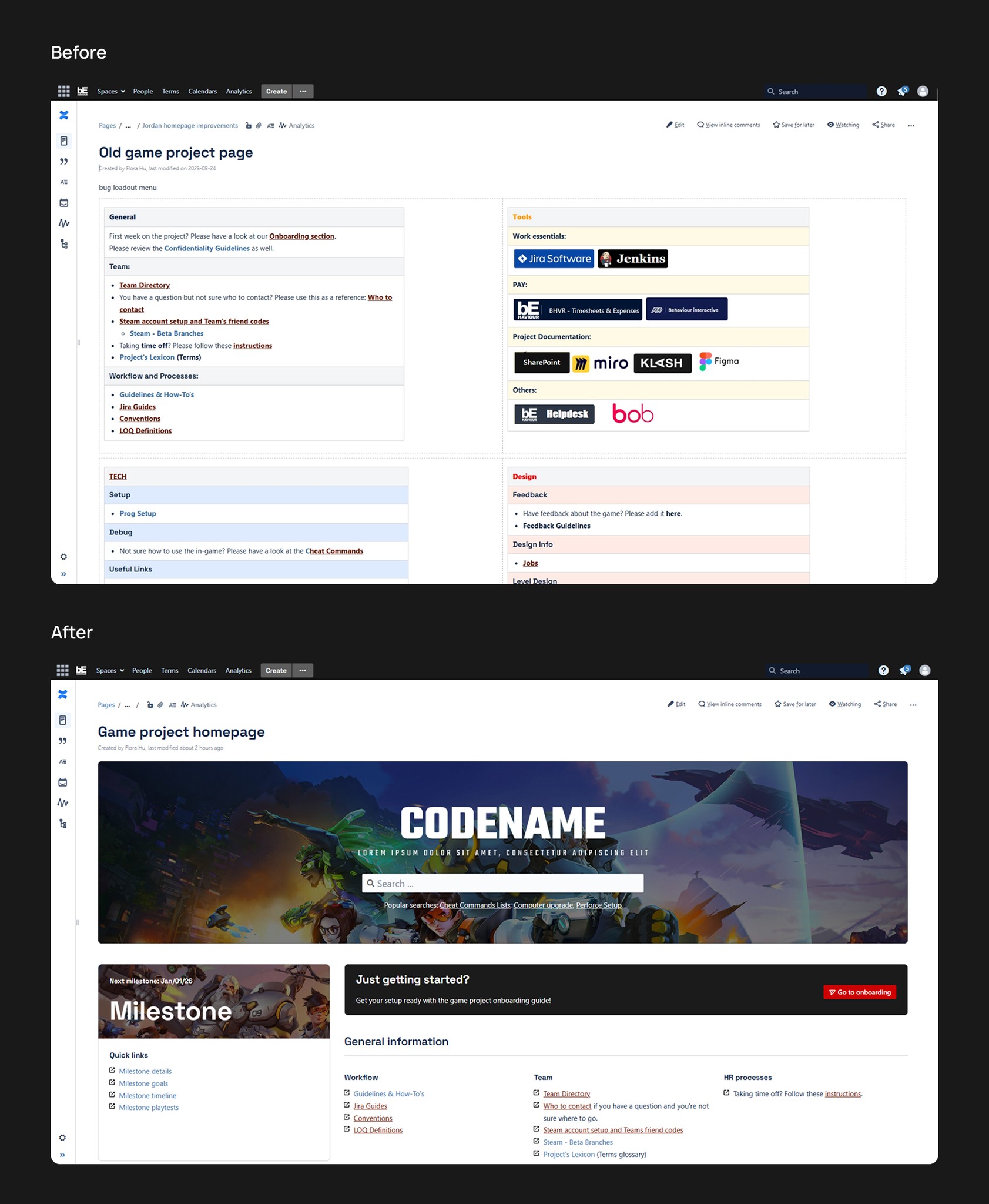
Content page style improvements
The challenge
At Behaviour Interactive, over 1,300 people require daily access to information. If every employee asks others for information, a significant amount of time is lost trying to find, understand, and communicate the information.
The typical experience looks like the following:
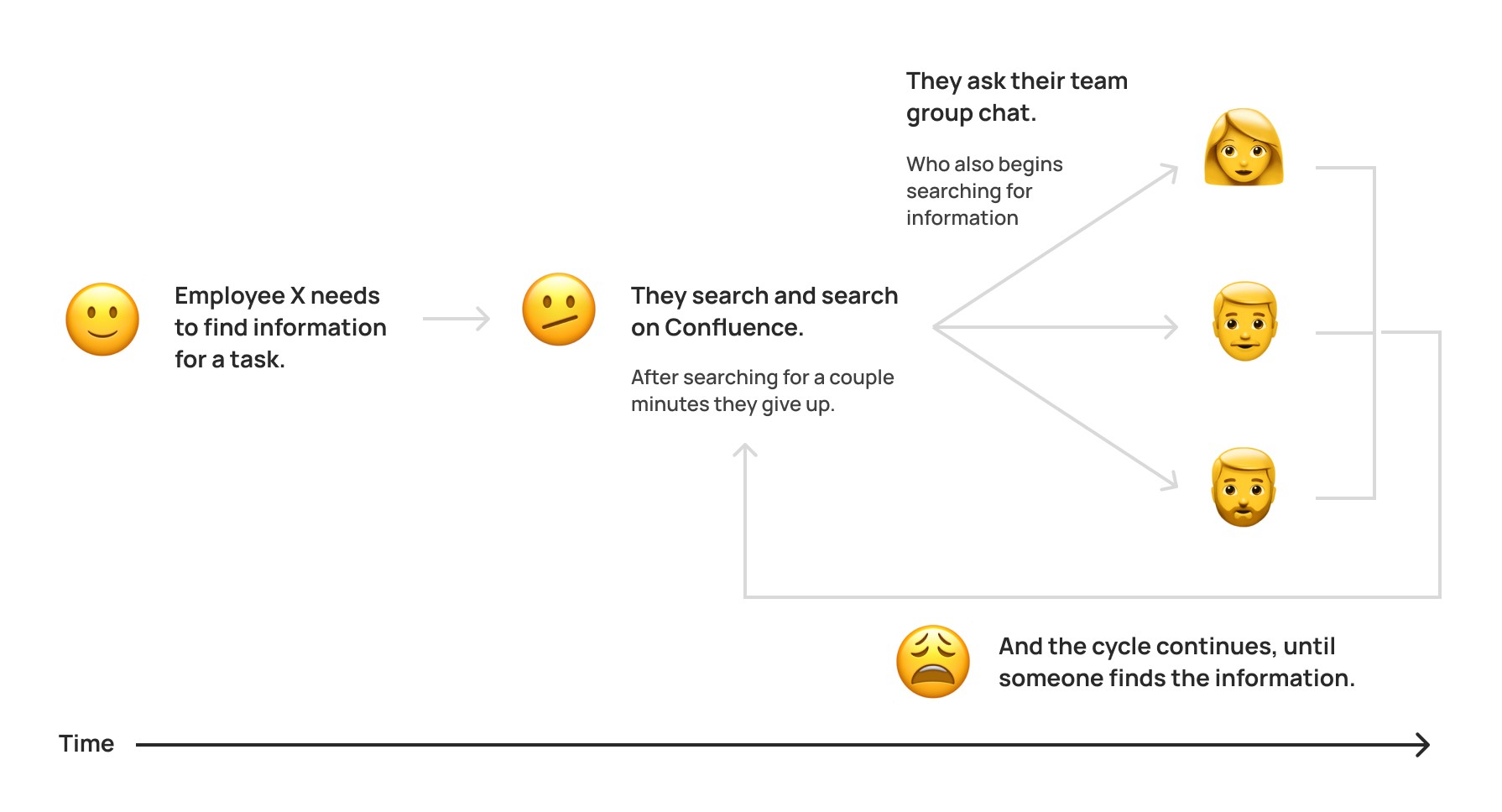
Production teams lose time and money without findable information.
The knowledge bases are hosted on Confluence, in groups called spaces. Many people found the spaces difficult to navigate, and often gave up on searching for what they needed.
Implementing a re-design on Confluence also had it's own technical limitations.
Since Confluence is a tool in itself, redesigning the knowledge base required experimentation with Confluence’s features and capabilities.
User challenges
Some of the main user challenges are the following:
Search: Confluence search is unable to link half-written words or incorrectly spelt words. This makes it difficult for users to find exactly what they need.
Navigation: Pages are often not linked to a central page, making navigation more confusing. Many people give up here.
Complexity: Different people have different visual preferences. Many people dislike the appearance of Confluence’s current UI, which makes them less likely to even use the knowledge bases in the first place.
Problem statement
How can we make the information in the knowledge bases more findable?
The solution
Creating a stylesheet
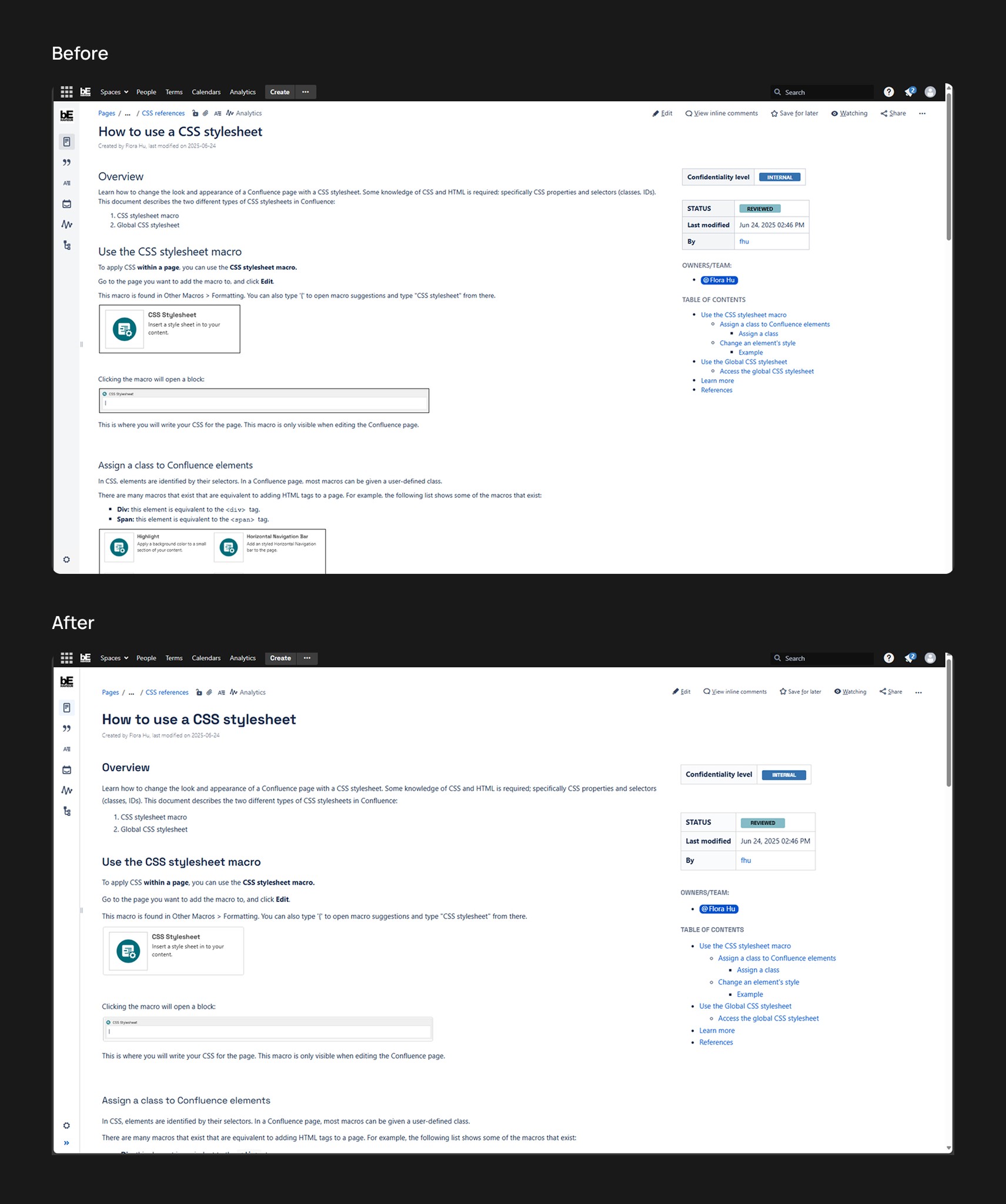
The global CSS stylesheet used Confluence’s existing HTML classes and IDs to change the look and feel of the entire space.
By adding some CSS to specific classes targeting different elements of the space, we added many quality of life features that could improve the viewing experience.
Some key features included:
Larger reading font sizes.
Larger margins and padding between elements.
Enhanced callout boxes.
Improved colours.
To learn more about the stylesheet changes, check out Visual Elements.
The following GIF shows the reading experience on a document page and the sticky sidebar component we implemented:

Building custom components
Using the HTML capabilities of Confluence, custom components can be created.
These components could be copied and pasted into spaces. The CSS for these components were placed directly in the global stylesheet, which enabled them to be used anywhere in the space without interference in the text editor.
View Visual elements for more detail.
Implementing custom layouts
By putting all these components together, they can form new, visually-appealing layouts directly in native Confluence!
This enabled us to revamp different pages for the following teams and projects:
Technical direction internal knowledge base.
A currently confidential game project knowledge base.
A knowledge base that stores all employee bios.
View Final designs for more detail.
Research summary
The homepage for the technical direction knowledge base
Broad user analysis
For the homepage redesign of the technical direction knowledge base, we conducted a broad user analysis to look at our user base at a high level.
Primary users
Technical Directors (TDs)
Senior technical leadership
Their expertise
Game development process/pipeline
Technical risks
Understanding of technologies (may not be in depth)
Project management
The scope of the project they are managing
Interviews and pain points
We conducted informal interviews with 3 technical directors, where we asked the following questions:
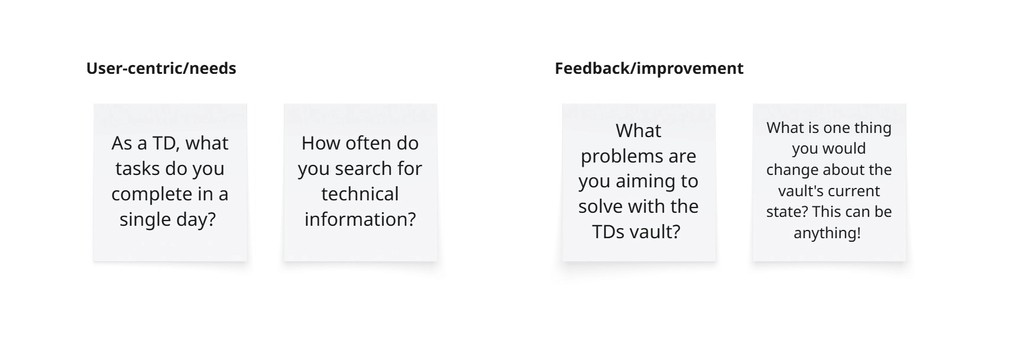
From interview notes, we created an Affinity map to sort their thoughts into different categories.
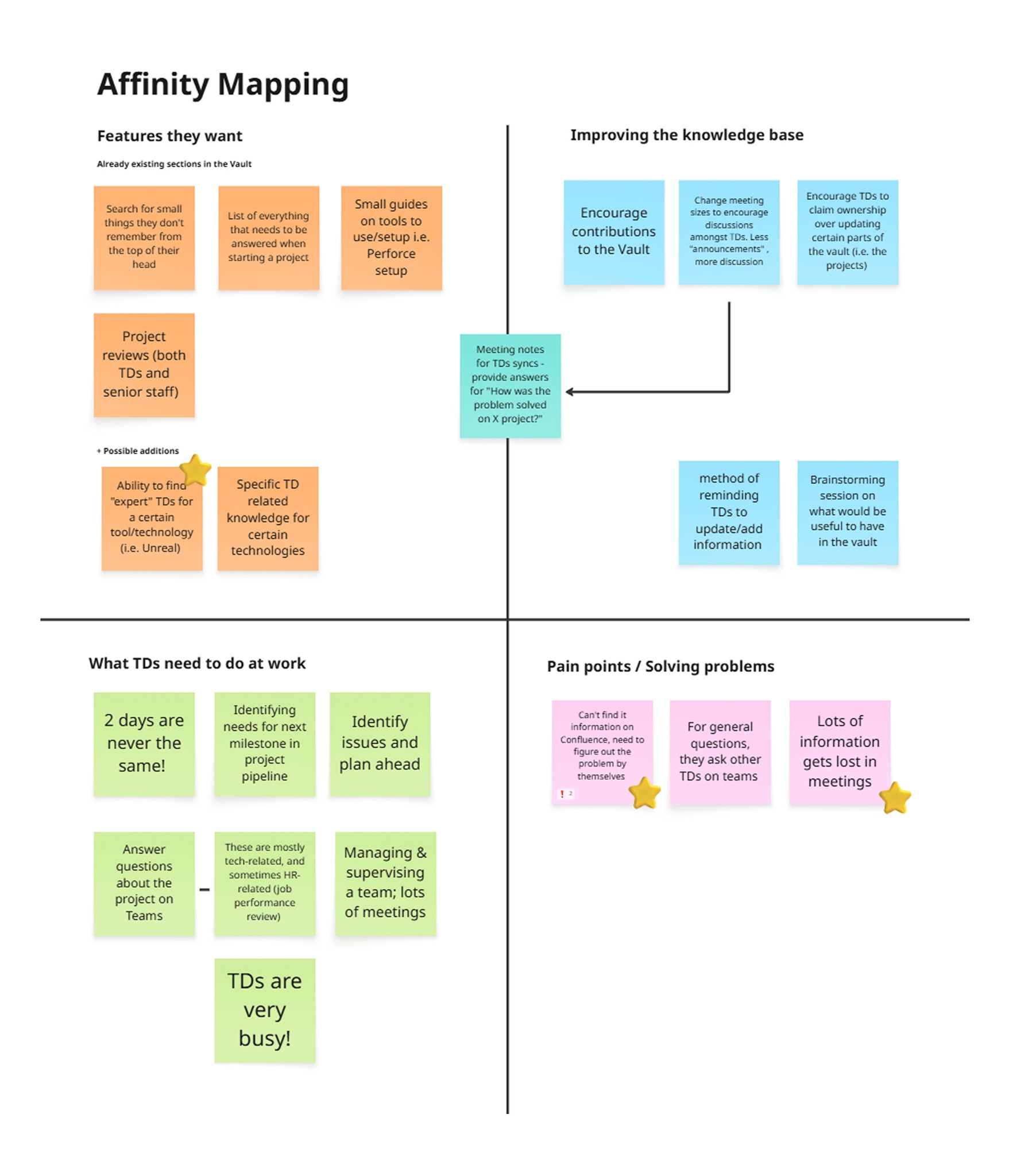
Next, we gathered some of the points together. This enabled me to create a chart that directly connected user behaviors and come up with ideas and features to solve them.
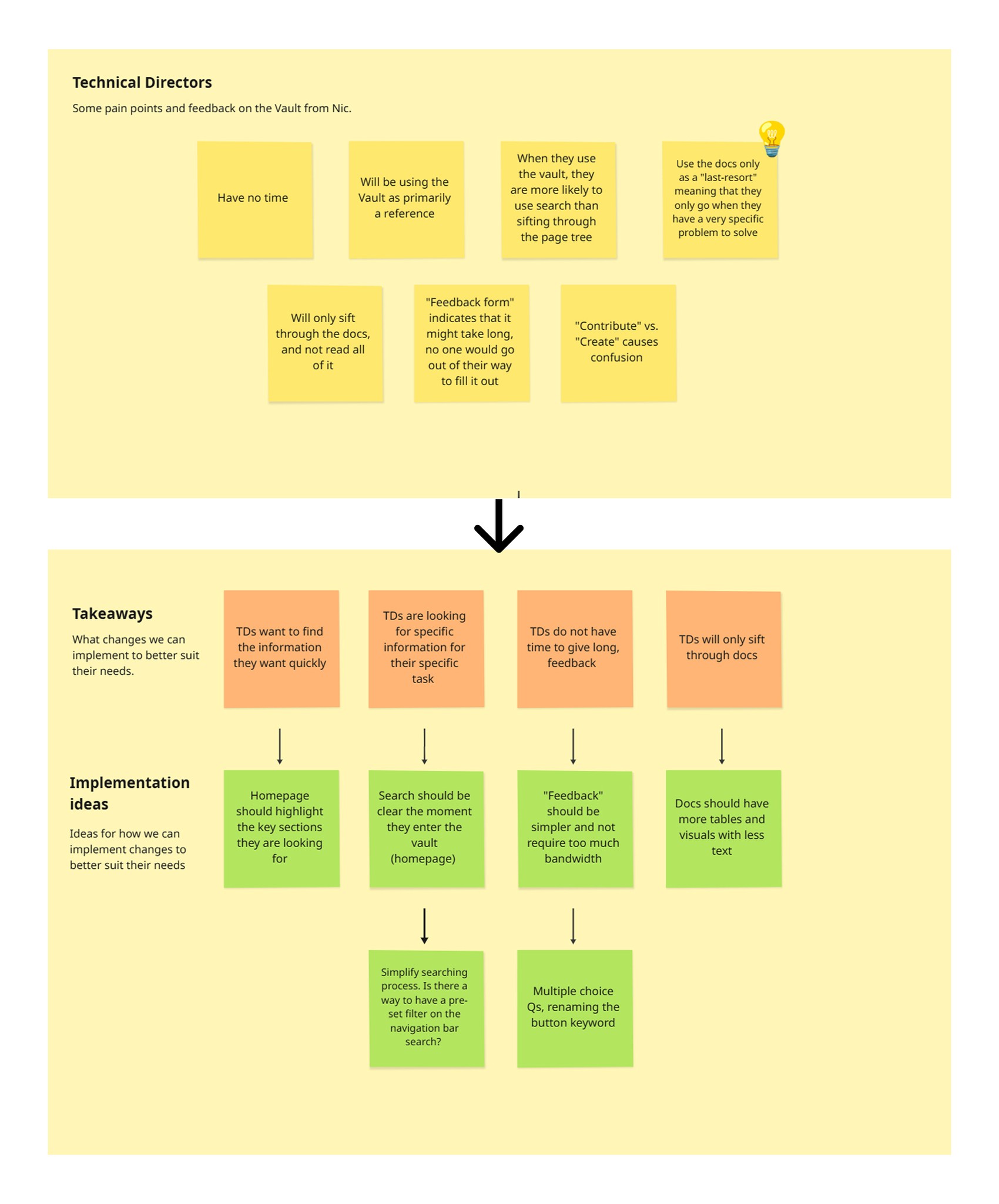
User interview takeaways
Overall, from the interviews, we had three main takeaways:
TDs want to find information quickly: therefore, the homepage needed to highlight the key sections to improve findability.
TDs are looking for a specific piece of information: therefore, search should be a prioritized feature.
TDs only sift through documentation: therefore, the documentation pages themselves needed to be legible and clear.
Existing solutions
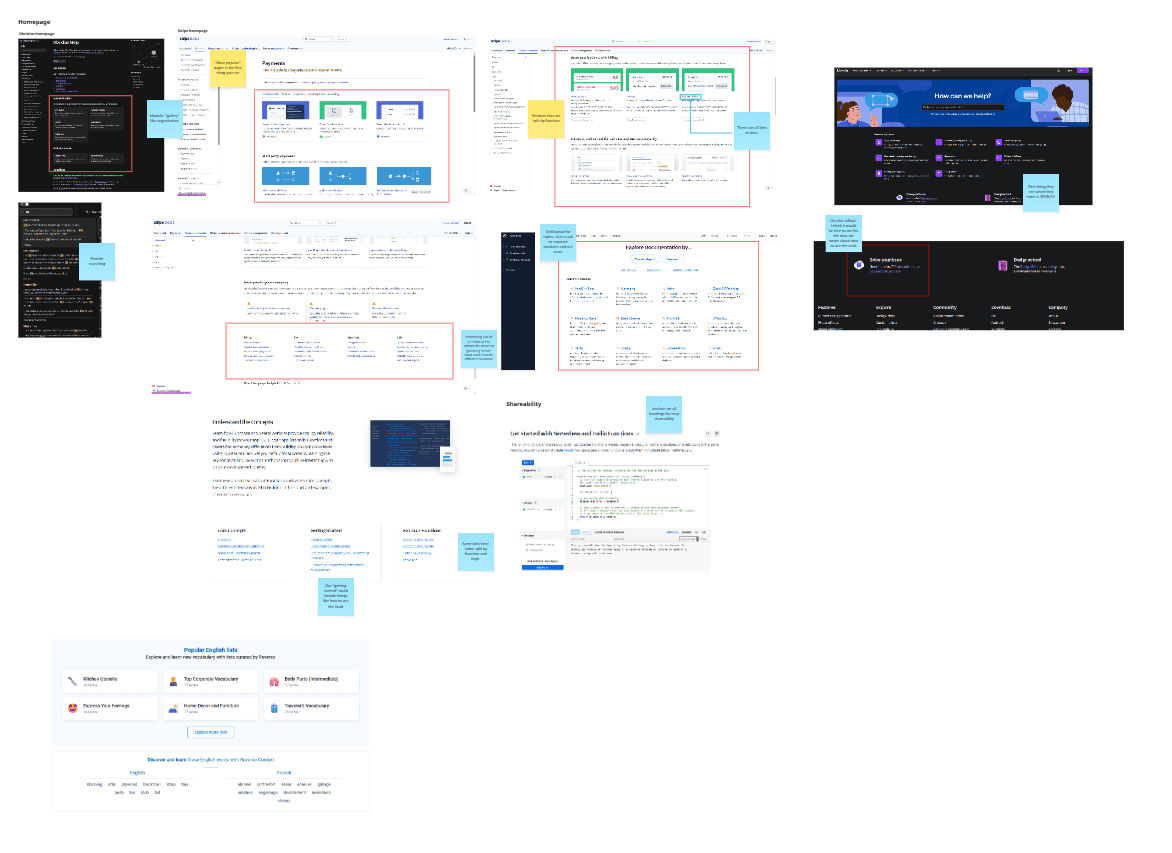
Next, we looked at existing knowledge base solutions (for example, Stripe docs, Twilio docs, Canva help, Google help, Obsidian help docs) to learn more about how companies formatted their knowledge bases.
We then put all the screenshots together on a Miro board. From there we were able to identify certain design trends and features.
Existing solution takeaways
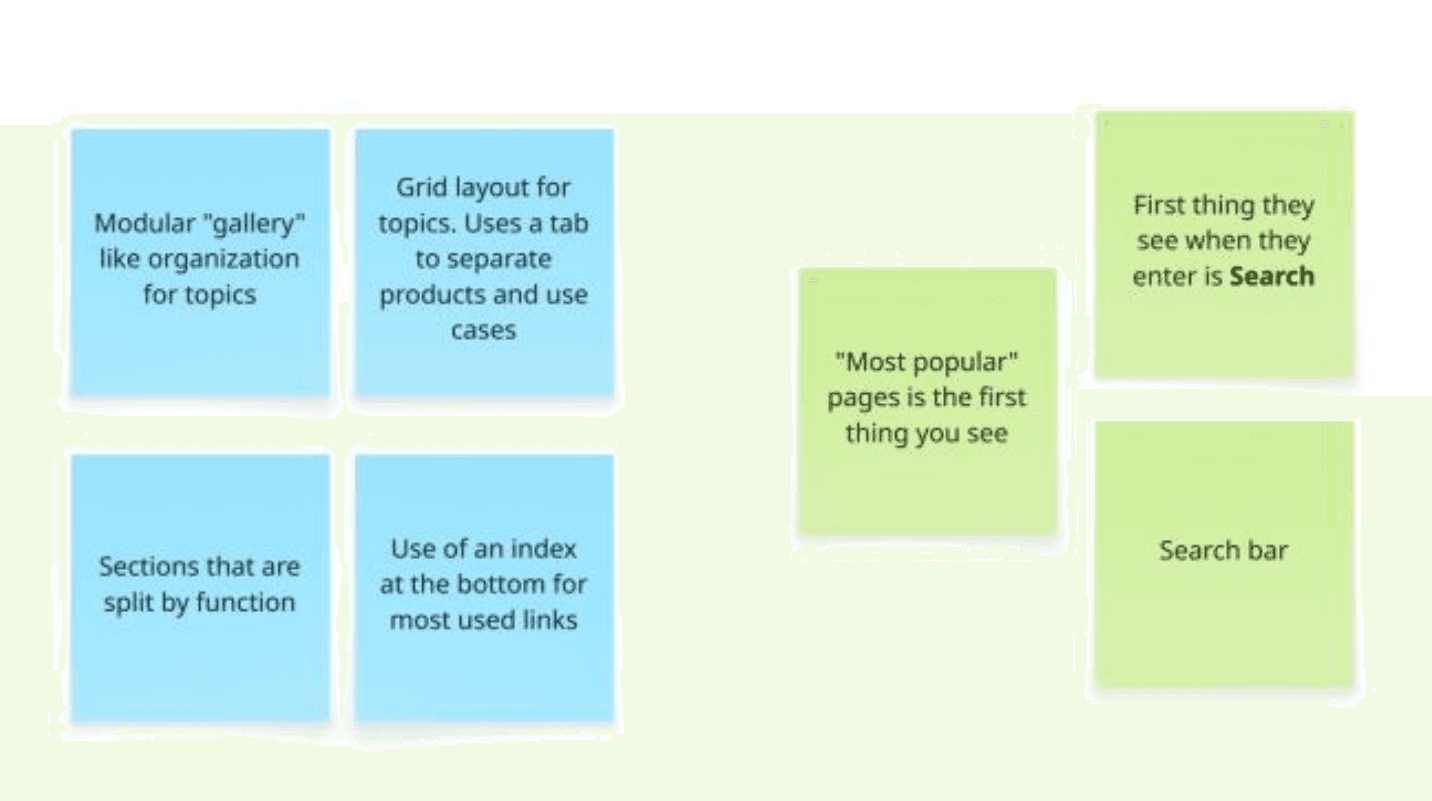
After analyzing existing solutions, the following features stood out the most:
Design process
Wireframing
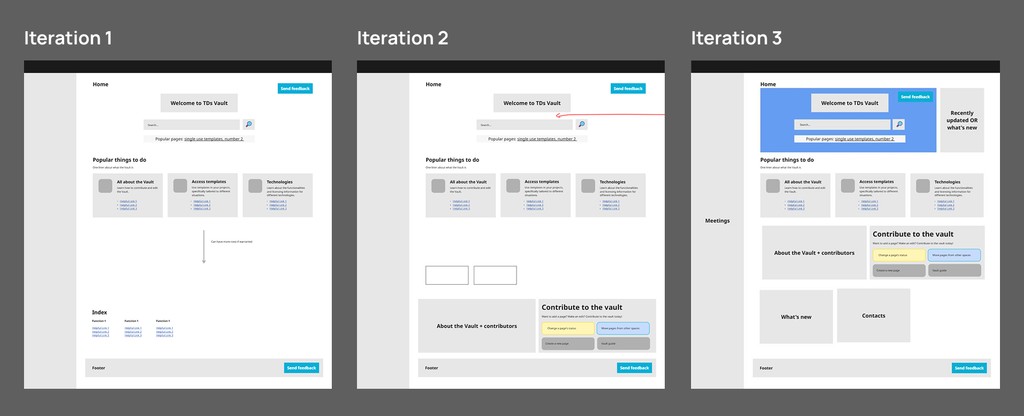
After conducting research, we created a wireframe of the homepage. Feedback was implemented through each new wireframe created.
Creating a user flow
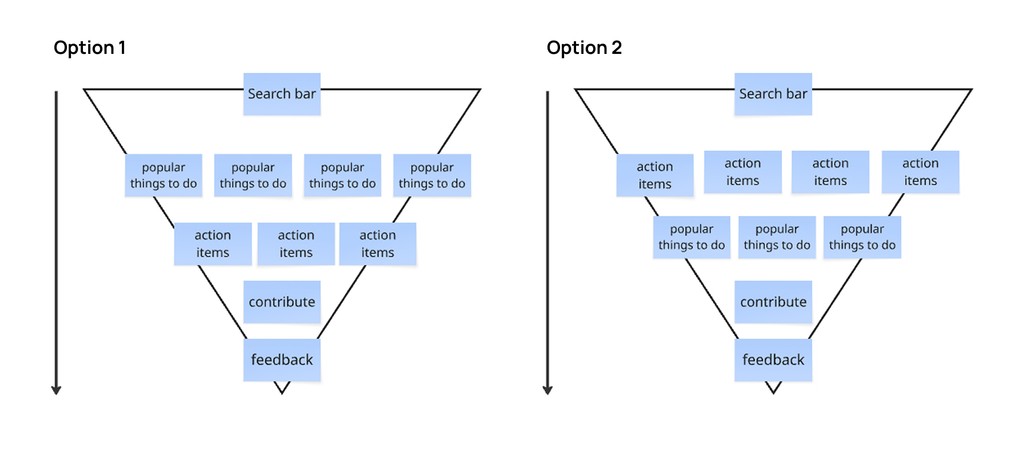
Using what we learned from talking to TDs, we used Miro to create a potential hierarchy options to format our homepage.
Prototyping
We started building the components through Confluence's HTML/CSS features. This was a good approach as it encouraged us to produce design iterations that could be accessed immediately by our user base.
This enabled us to collect feedback quickly through the design process.
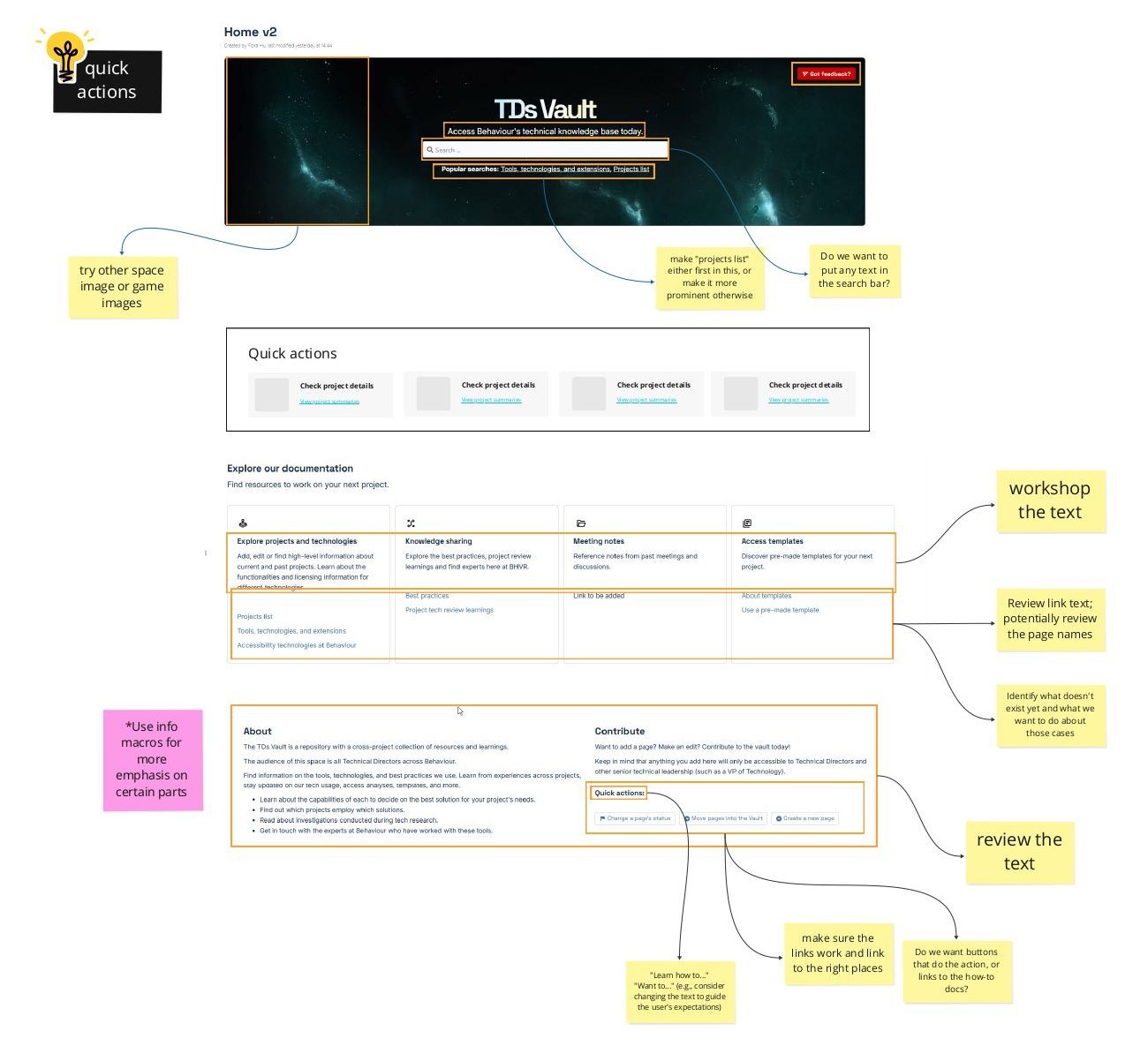
From the prototype, we could also see what features needed to be added. For example, the Quick Actions section was added after getting feedback, as shown below:
UX writing
For the copy, we followed Microsoft’s style guide for tone of voice. Our goal was to make the space as simple to navigate as possible.
This meant using short, concise sentences when describing actions.
Action-based interactions
Users may want to perform a certain task when entering a space. For example, technical directors may want to specifically view a certain project's details to check it's status.
As a result, when writing the copy for pages, we used action-based sentences to guide the user rather than relying on Confluence search.
Deciding the quick actions
To find which actions users did the most, we used Confluence's page analytics and interview notes to see what people did the most.
On the homepage, the action-based copy can be seen in the following:

Visual elements
Since Behaviour Interactive didn’t have a “design system” for their Confluence spaces, we had to create one using their existing brand and identity.
I was inspired by their marketing materials and slide decks, which used a lot of space related imagery, and bold contrast between backgrounds and text.
Design system
Typography
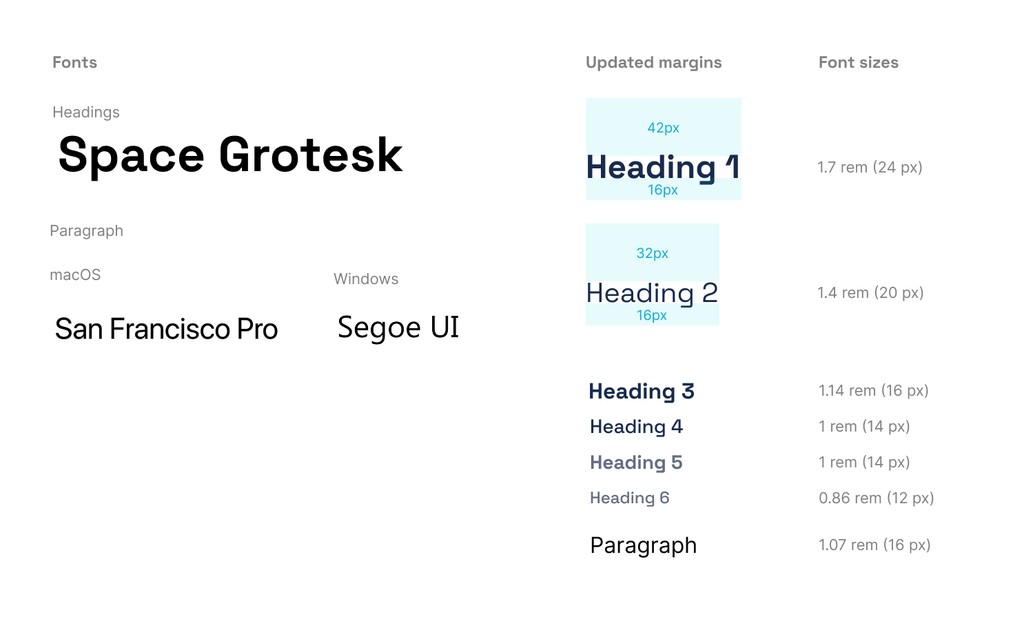
In CSS, I modified the sizing and fonts for the typography. For the typography, I focused on legibility and readability over anything else. For the paragraph font, I picked a system font stack so any operating system can see a readable font.
In addition to changing the fonts, I increased the margins for Heading 1 and 2 for more readability. I also changed the font sizes to rem values for responsiveness.
Colours
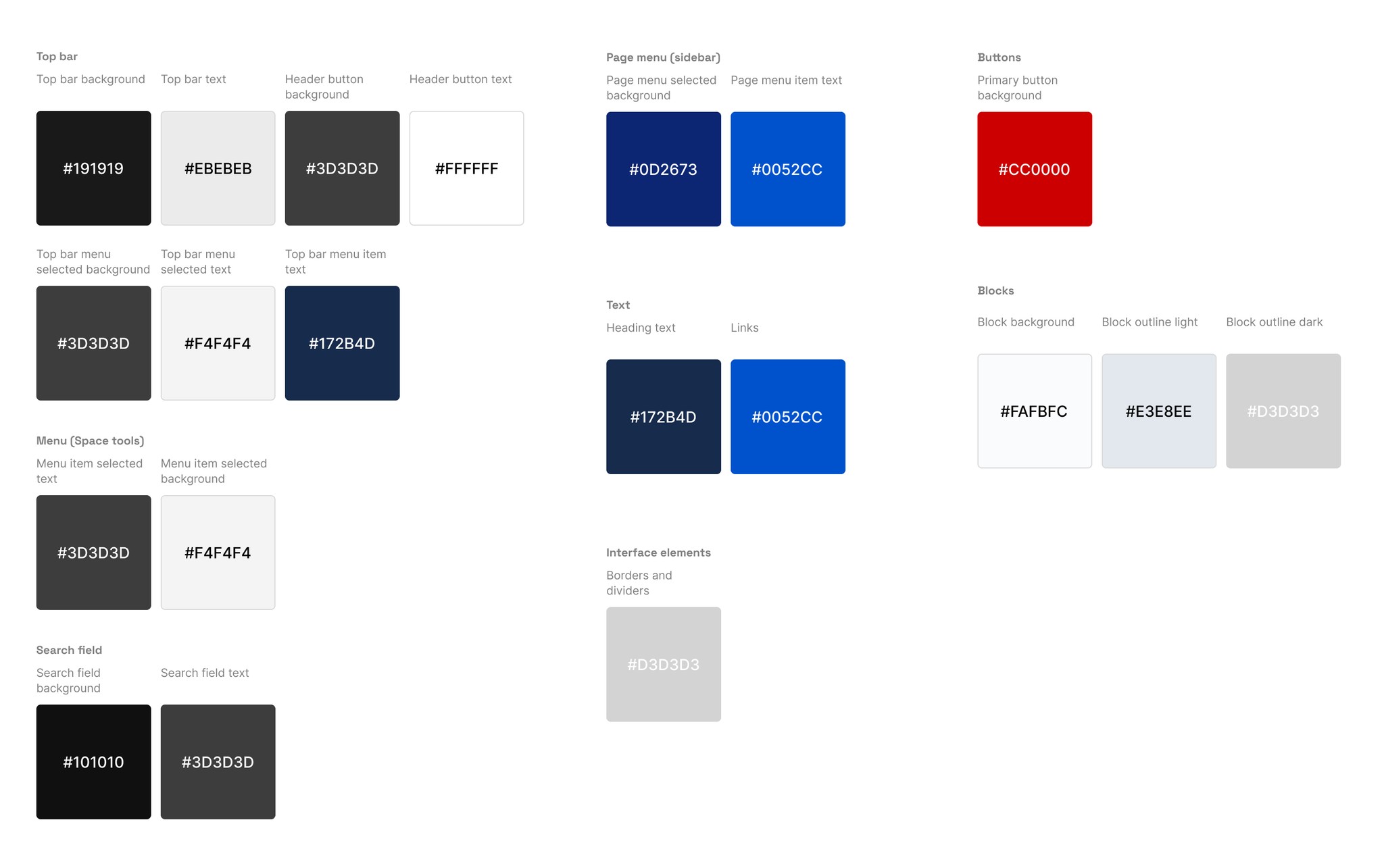
For colours, I kept some of the default Confluence colours. I also added some to account for the new components we added such as blocks.
Icons, imagery and components
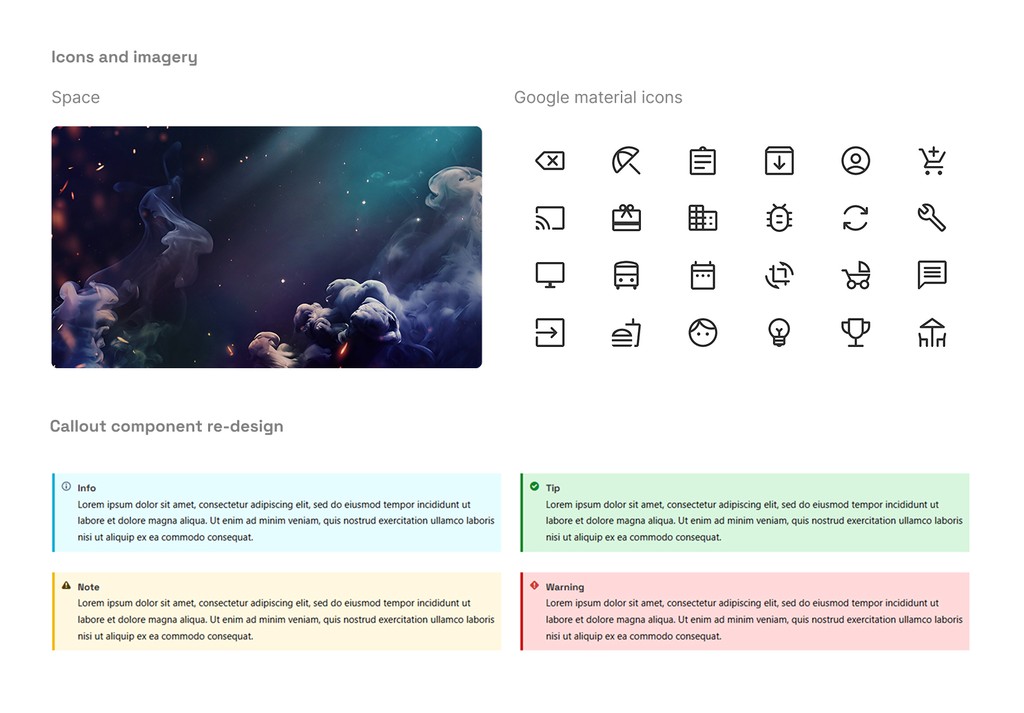
I took inspiration from BHVR's corporate branding for imagery. For icons, I used the Google Material icons. I also updated the Confluence callout component styles to stand out more, and provide greater emphasis.
Putting it all together
After inputting the CSS stylesheet into a space, all pages were visually refreshed!
Final designs
After implementing the designs on the technical direction knowledge base, we were able to reuse components and use the same process for other projects and teams.
A new way to traverse spaces
Technical direction knowledge base
The GIF below shows the full homepage scroll of the technical direction knowledge base. This homepage was launched internally in June 2025.

Confidential game project homepage
This homepage was implemented for a confidential game project at BHVR (Note: all images are placeholders). This homepage was launched internally in August 2025.
The game project homepage was also saved as a template for future projects.

Behaviour Bios
Behaviour Bios is a space for BHVR to store professional bios for their employees. The space enabled BHVR to present the company's talent and teams to clients. This homepage focused on simplifying the process to add a new bio to the space, so that anyone could do it.
Users can also view BHVR bios, and teams. The space updates was launched internally in July 2025.

Ensuring reusability
To ensure the components and stylesheets could be maintained after I left BHVR, I wrote a series of docs that supported the new features.
A component library
I created a component library doc that enabled anyone to copy these components into their spaces.
Templates
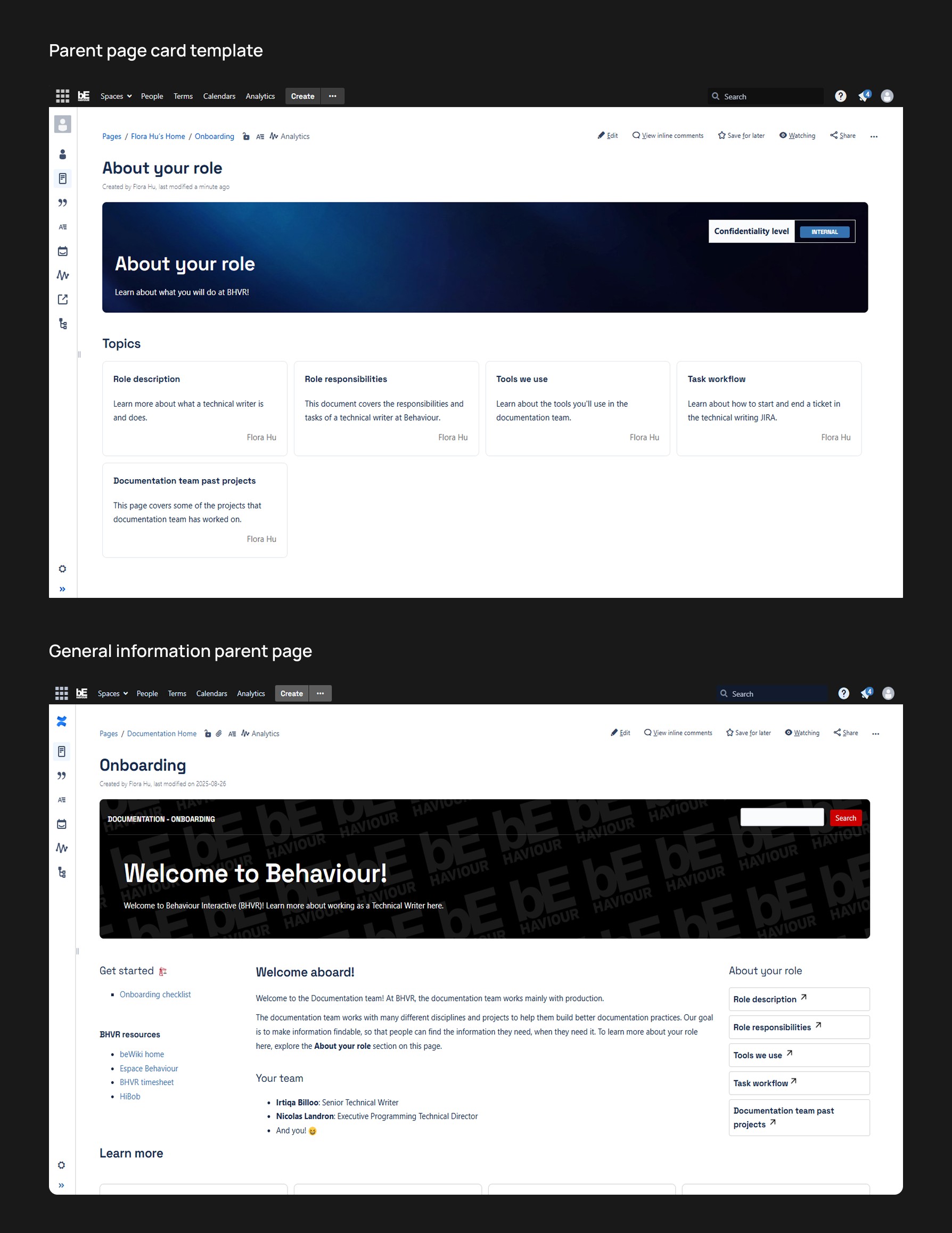
Plenty of the pages we created become templatized on Confluence. This enabled teams to re-work pages to their needs.
Here are some examples of pages that were created from our parent page templates:
Reflections
Design is everywhere
One of the challenges of this project was that it didn't feel like a typical design project. There was little use of conventional design tools like Figma or Adobe Creative Suite. There wasn't really anything for "Confluence design" online either.
The more I worked on this project, it helped me to disconnect tools from design, and focus on the process. At the end of the day, a designer is just someone who aims to make the lives of others easier.
Writing is designing
Along with this project, I had also worked on many typical tech writing projects as well. Throughout the term, I learned a lot more about writing, content design, and information architecture as a whole.
I found that many writing practices followed the same steps as design. When I first started learning how to write technical documentation, I used Google's tech writing courses. In the course, they state that the first step to start writing documentation was to "Define your audience." The steps are incredibly similar to the design process.
Like the design process, there is also a ton of iterations. Many docs I wrote went through multiple Subject Matter Expert (SME) validations, which resulted in multiple revisions.
Through this experience, I got more inspired by writers and content designers. I developed a more content-centric design mindset. Whenever I designed anything, I started to question if users were actually getting the right information at the right time.
As a result, I'm really thankful that I got a chance to be a tech writer for four months.
Special thanks
A special thanks to my supervisor Irtiqa Biloo, and our team lead Nicolas Landron for supporting and inspiring me throughout my work term at BHVR!
I was inspired by all the great conversations, and was impressed everyday by your dedication to creating quality technical documentation!