Web & Graphic Designer
User Research
Interface Design
Graphic Design
COLLABORATORS
Individual
BACKGROUND
YRES (York Regional Educational Services) is an NPO dedicated to providing free and affordable educational services. While working at U+ Education, I was tasked with redesigning the Vancouver Regional Educational Services (VRES) website and creating a stronger brand identity for YRES as a whole.
PART 1
Re-designing Vancouver Region Educational Services (VRES) Webpage
In the first part of the re-branding of YRES, I re-designed the website of their sister organization, VRES.
1
The Problem
The goal of VRES is to clearly showcase all of our program offerings, mainly the free programs (language, STEAM, personal development), and highlight other opportunities such as volunteering.
THE PROBLEM
Redesign the VRES website to make it more visually appealing, readable and easy to navigate.
Pain Points
This is the old design of the homepage of the VRES website. We can highlight some of the current pain points in the design.
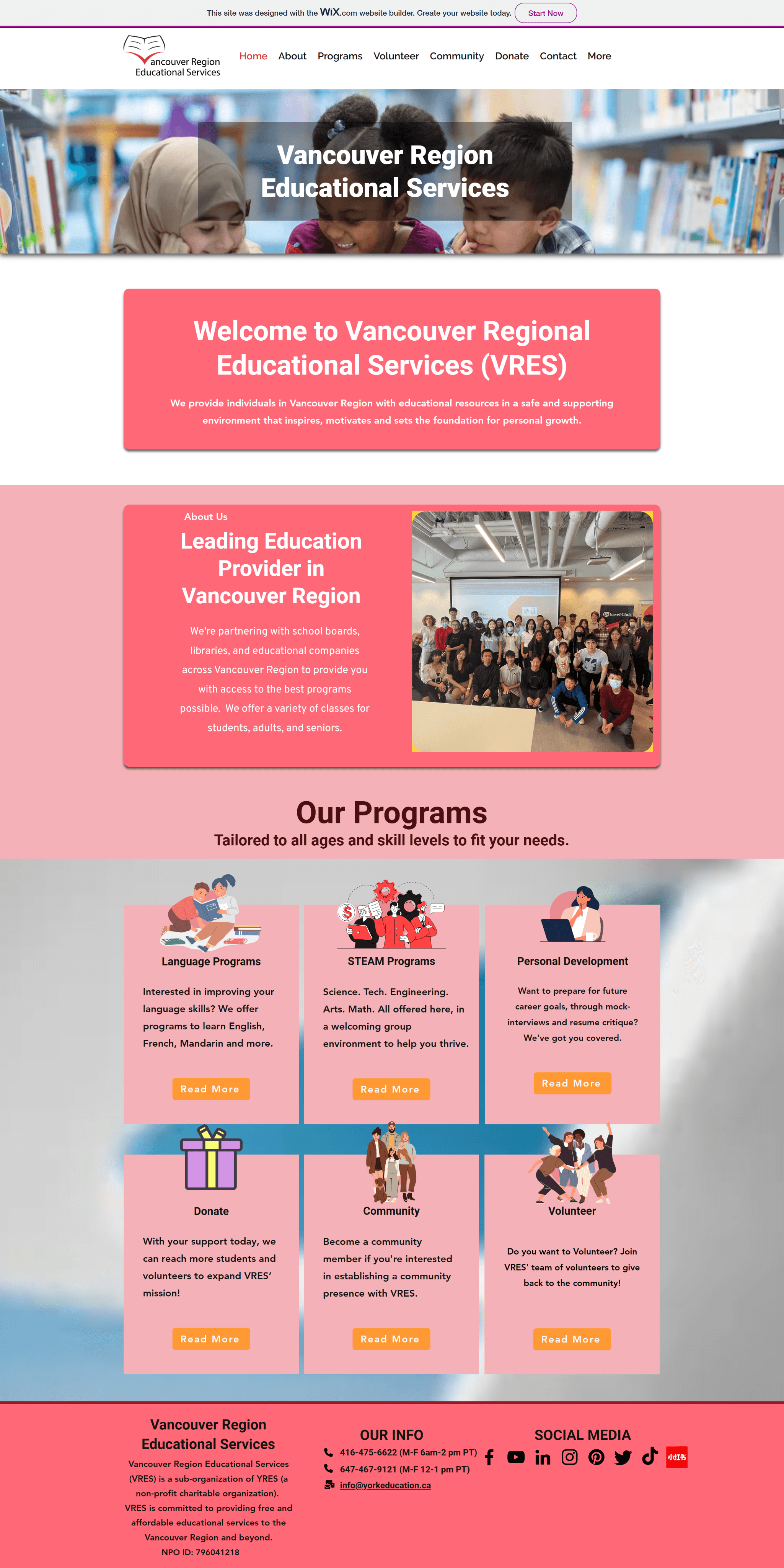
IDENITIFYING PAIN POINTS IN OLD DESIGN
Inconsistent fonts
Non-appealing use of brand colours
Lack of padding and margins in elements
Inconsistent graphic style
Confusing navigation
The website becomes hard to read and decipher. Lack of consistency makes the website, and thus, makes the NPO seem like they lack professionalism.
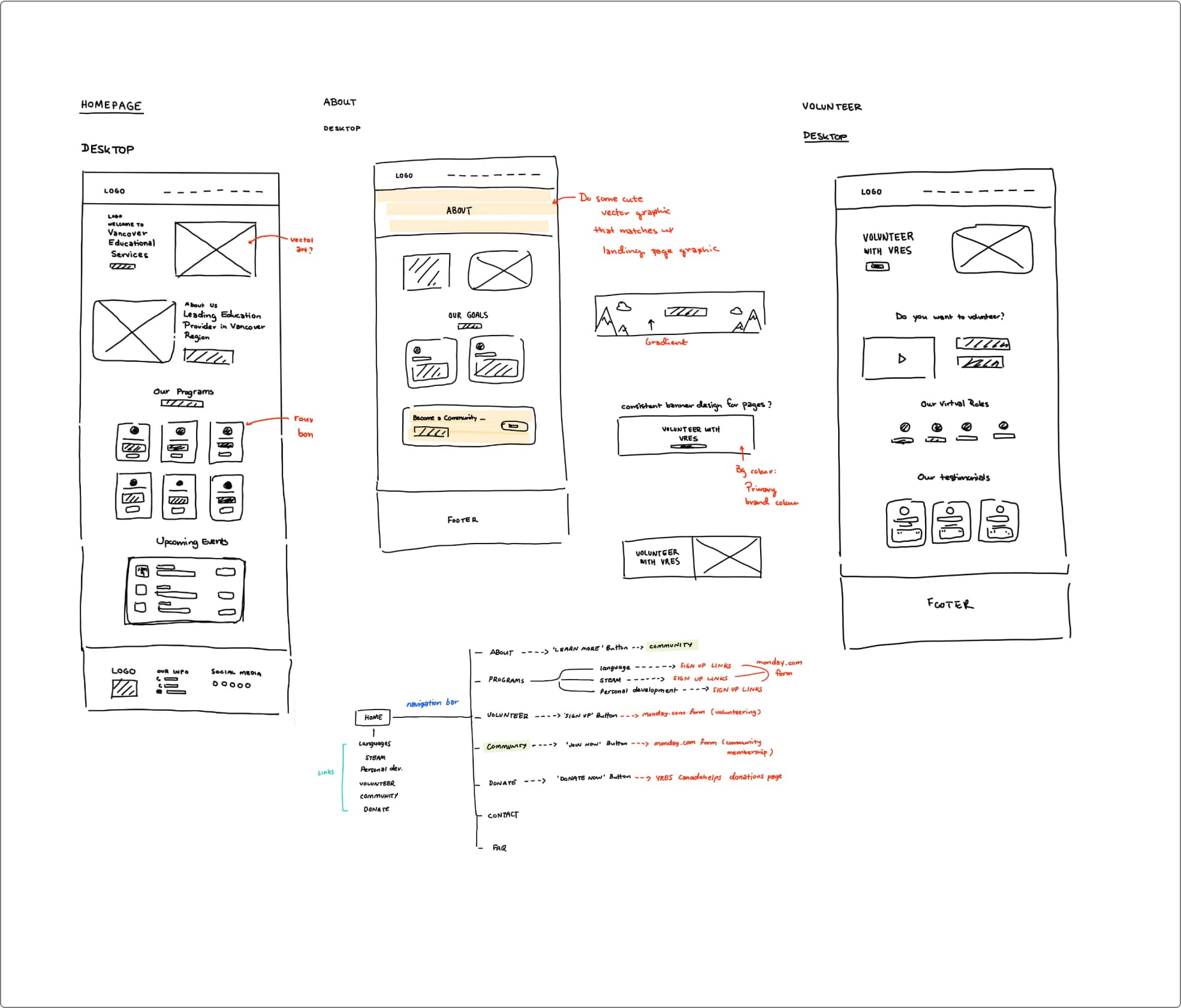
Following the requirements from the old website design, I created low-fidelity sketches to determine which placements of elements would be the best.
I also created a quick flow diagram to model the potential paths a user may take on the website.
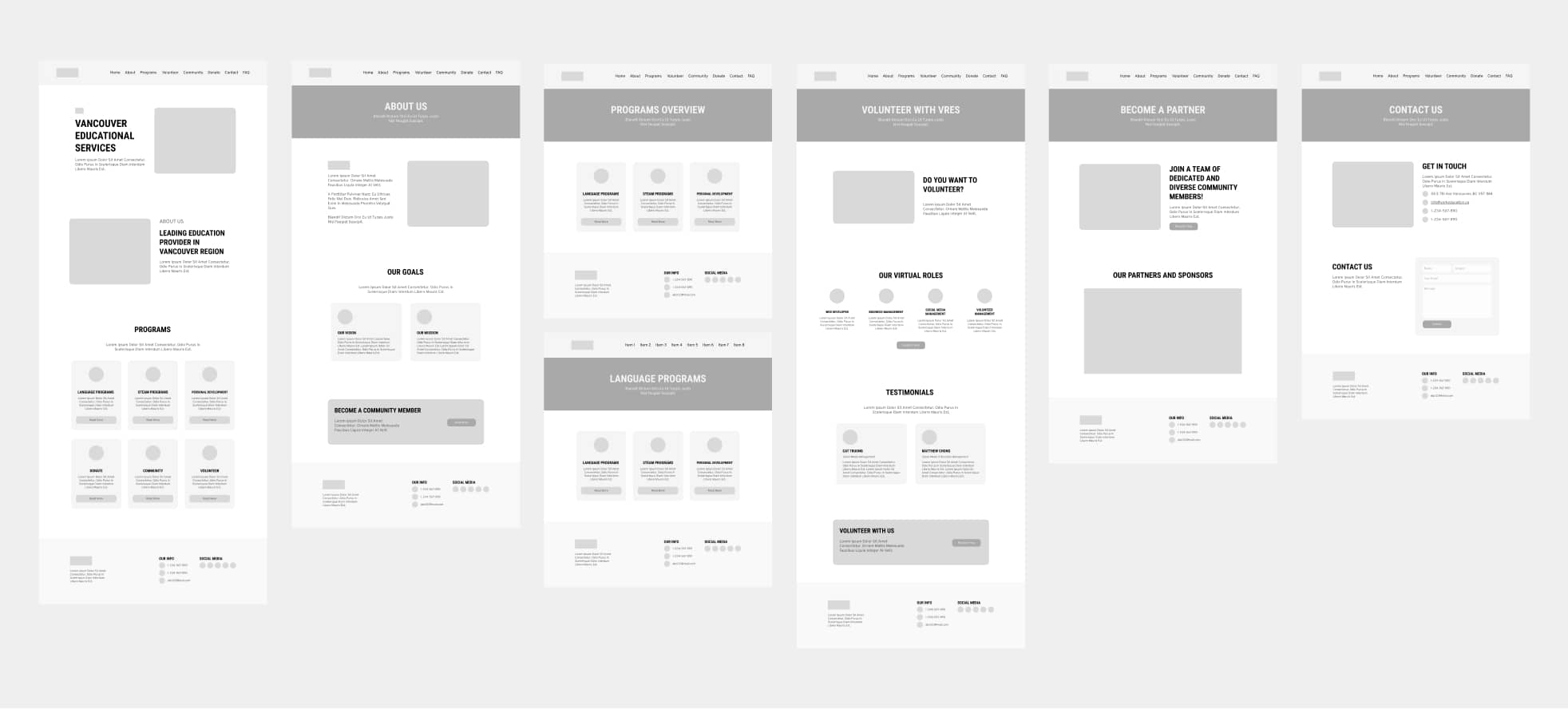
After creating the sketches, I created the wireframes for the pages that where targeted to be re-designed.
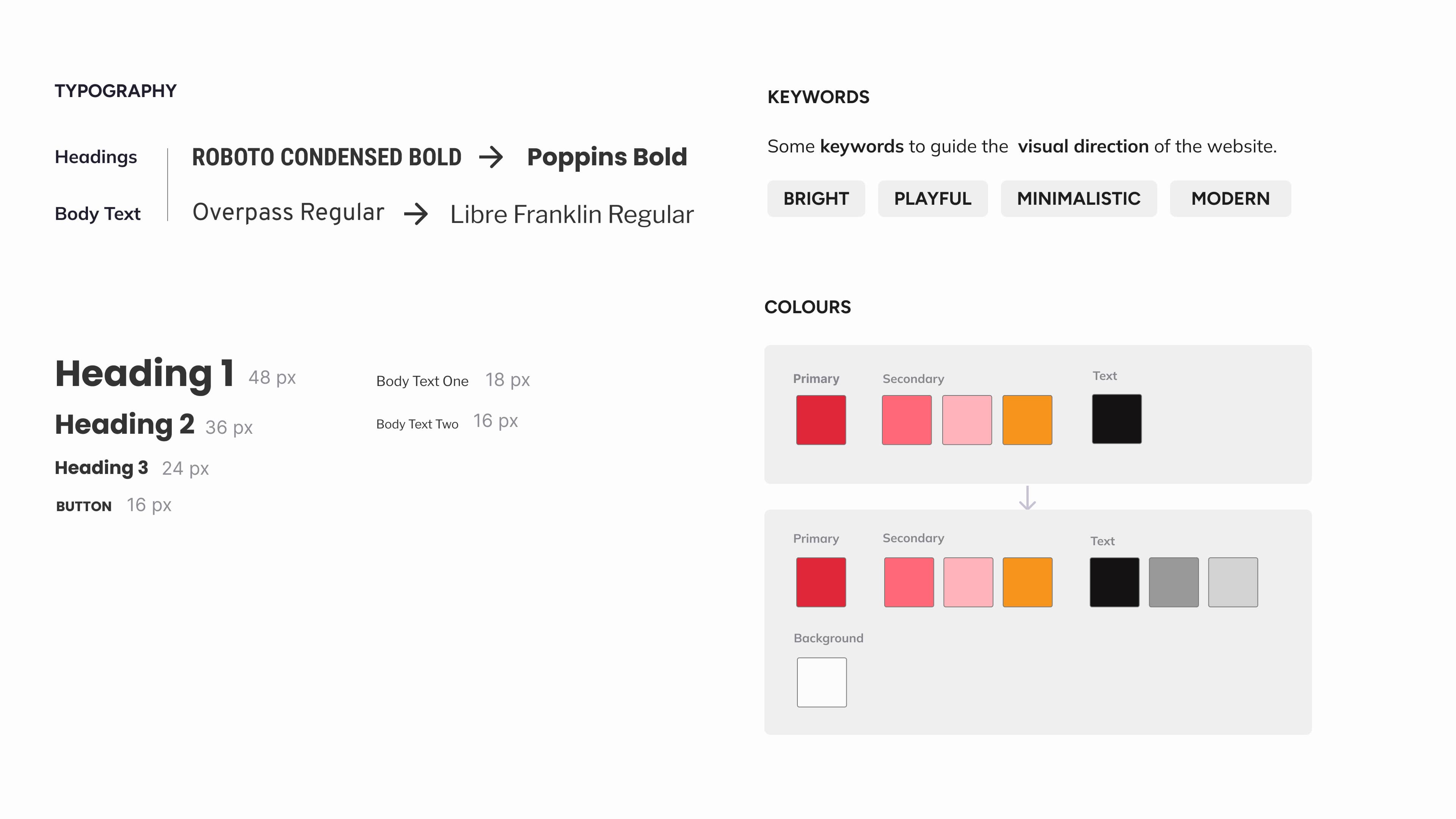
VRES already had established branding, colours and typography. I didn’t want to change too much of it’s original colours since they were already established in their logo. As a result, I modified some of the branding to better suit VRES’s image and goals.
The Graphics
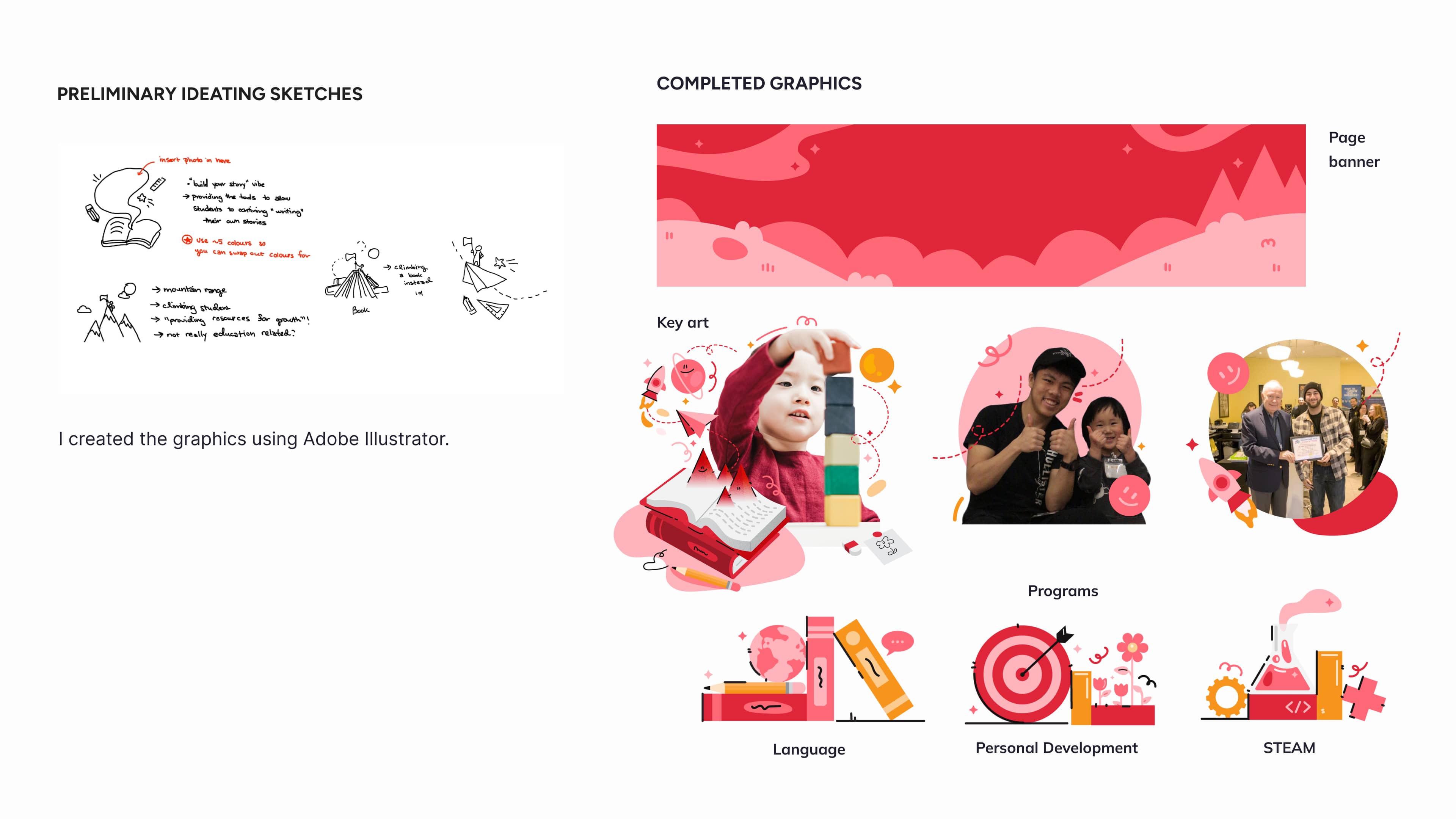
Using the keywords, I created sketches to determine the general direction the graphics would take. I really wanted to create a bright, playful atmosphere for the site. These preliminary sketches would later define the appearance of the completed graphics which I designed on Adobe Illustrator.
5
The Solution
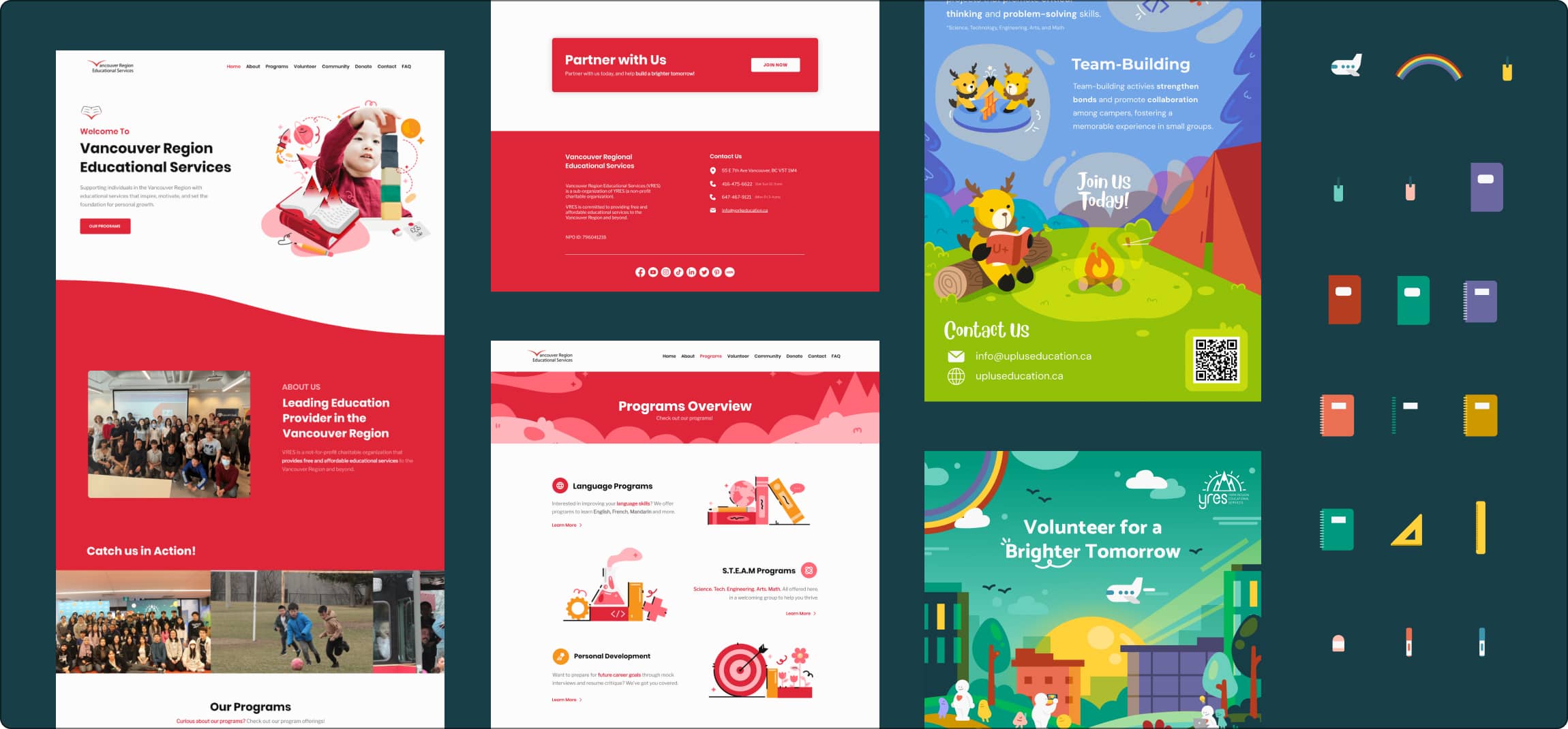
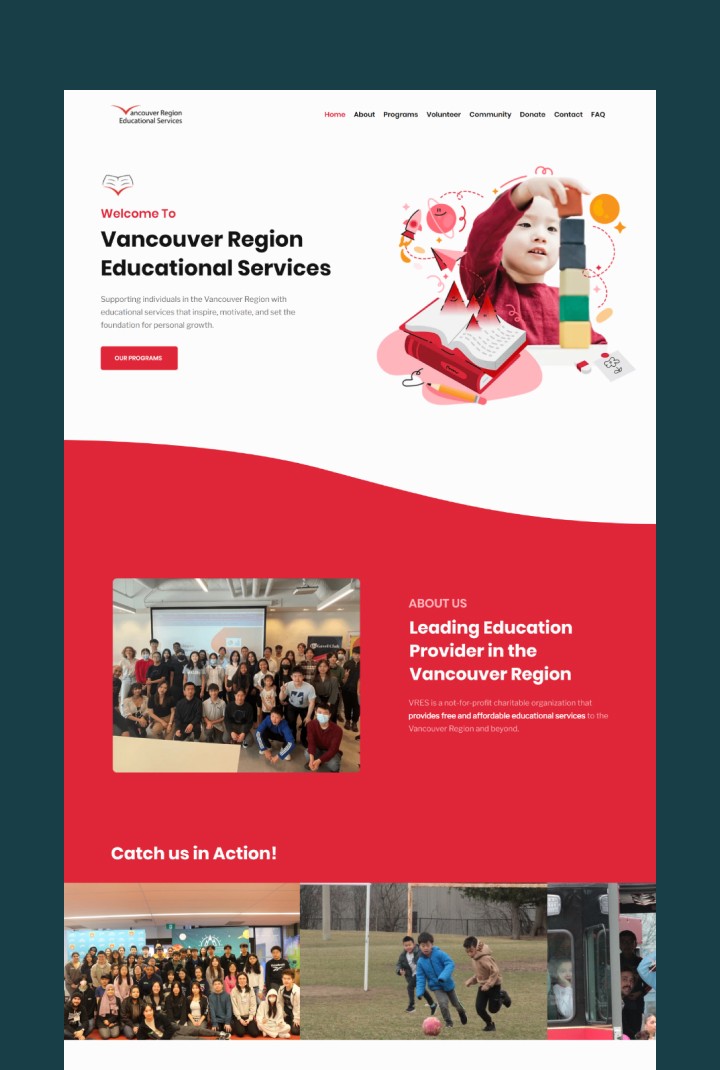
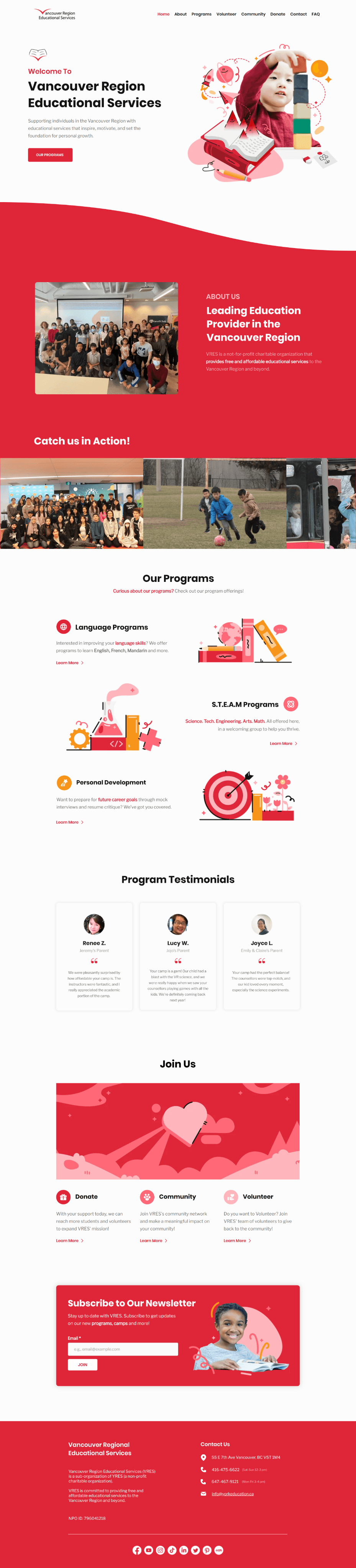
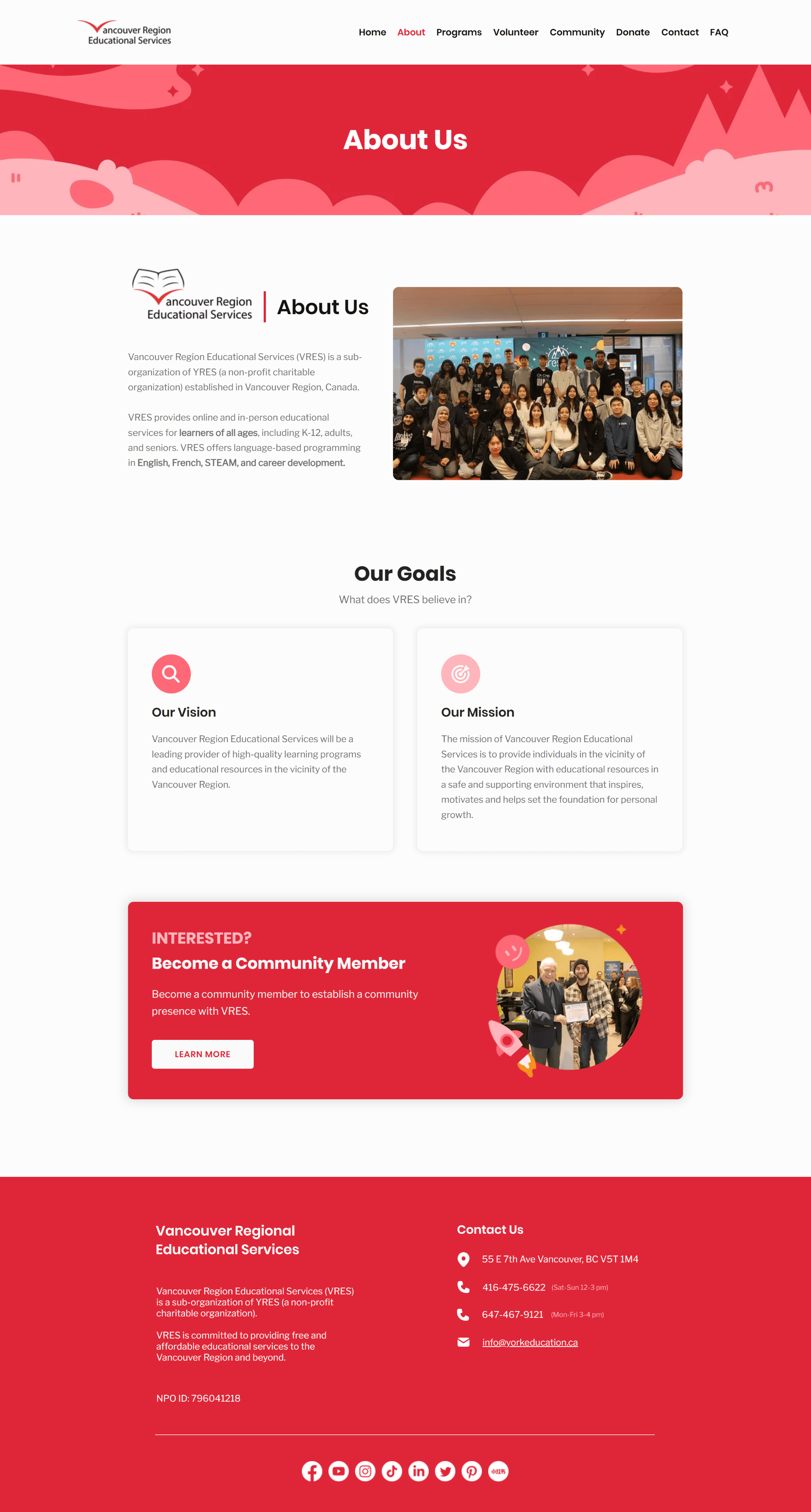
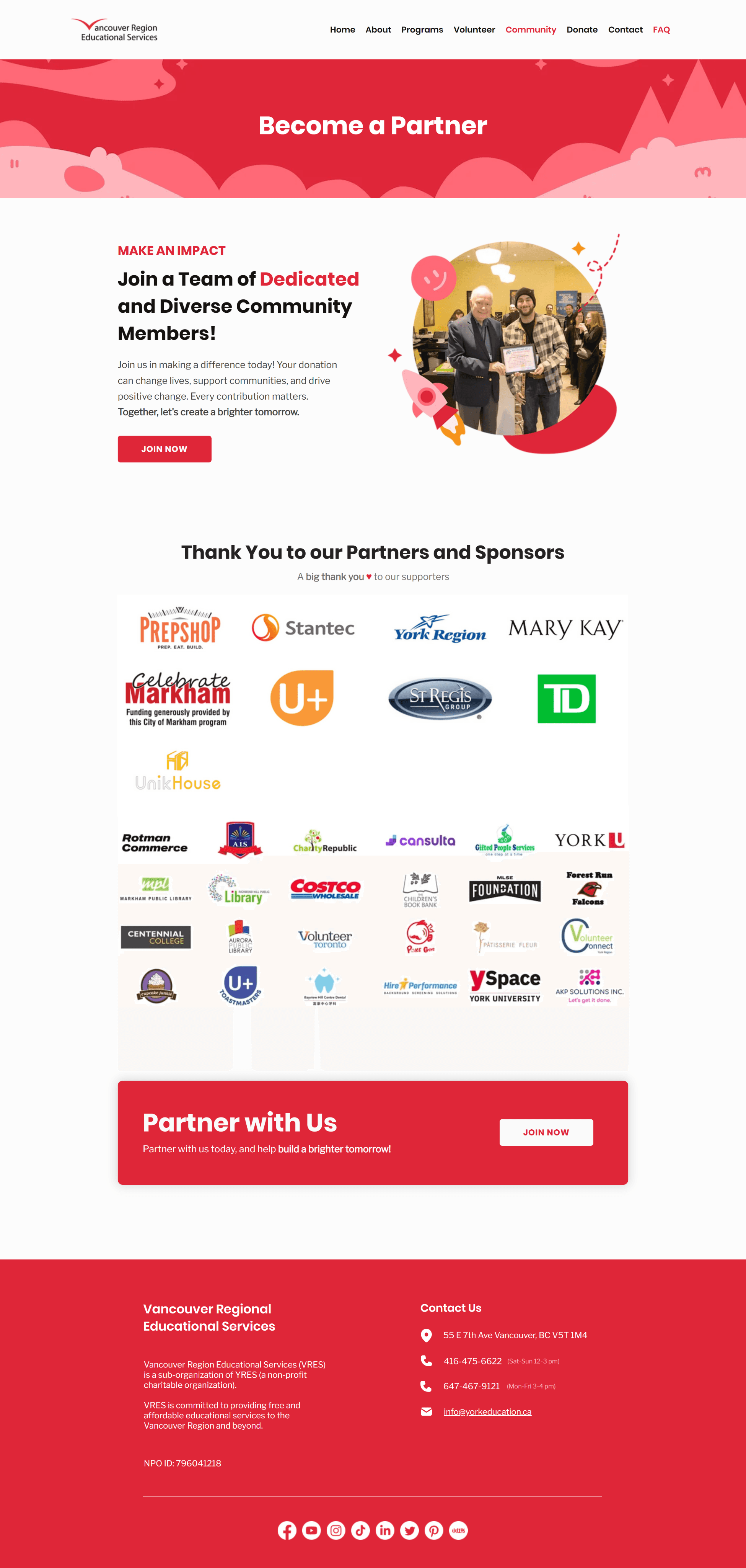
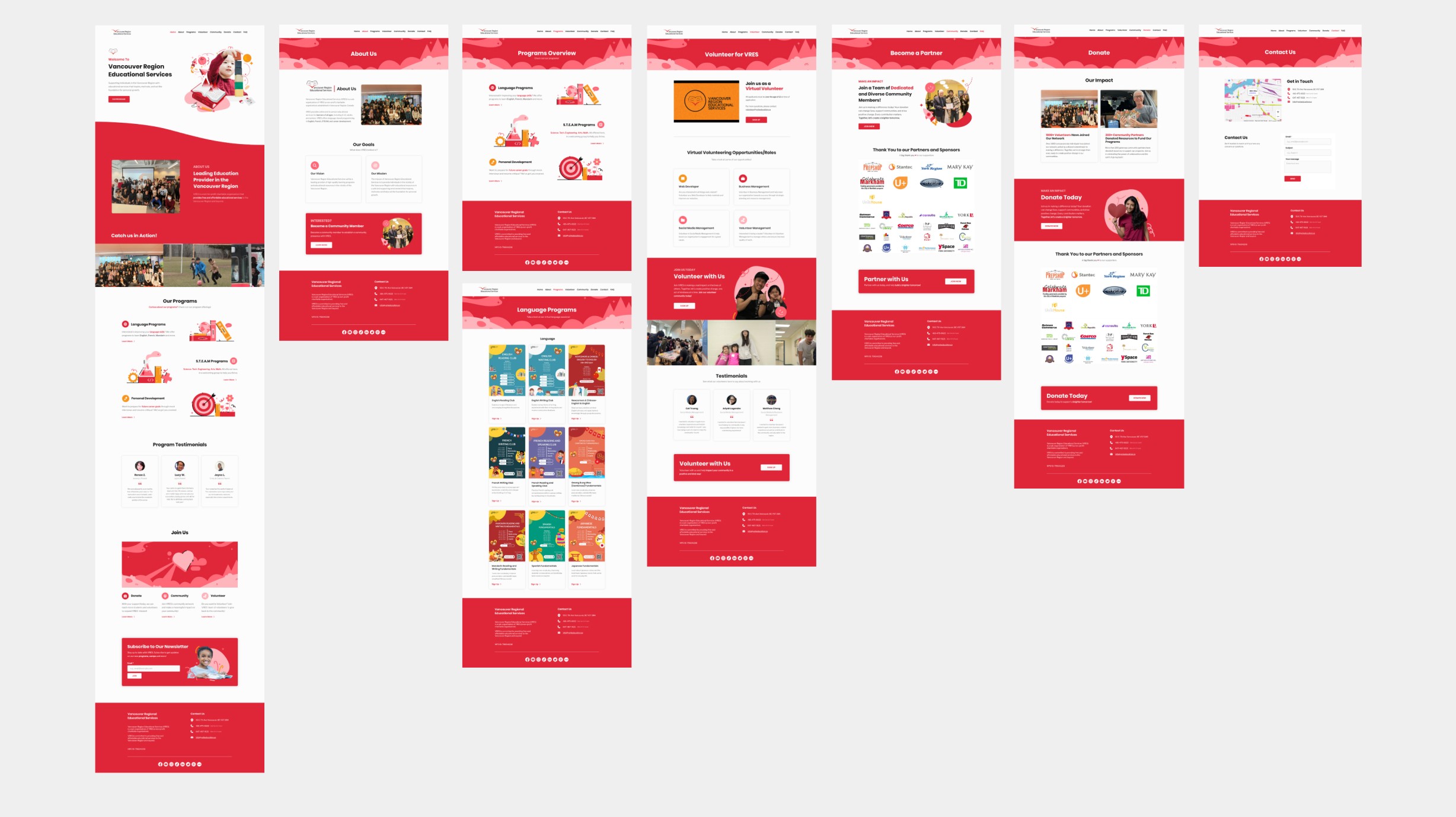
These were all the screens designed for the VRES webpage.
PART 2
Building an Asset Repository and Designing for Print
This section will walk you through some of the graphics and print projects I made during my time at U+ Education.
The Assets
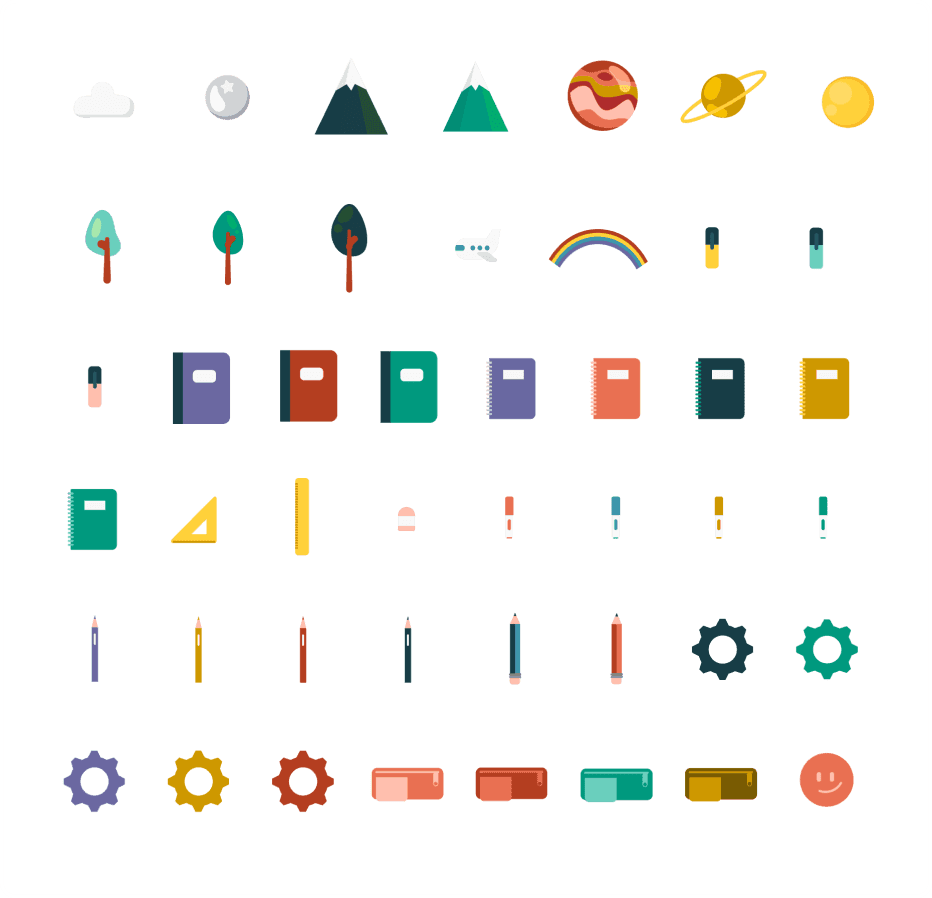
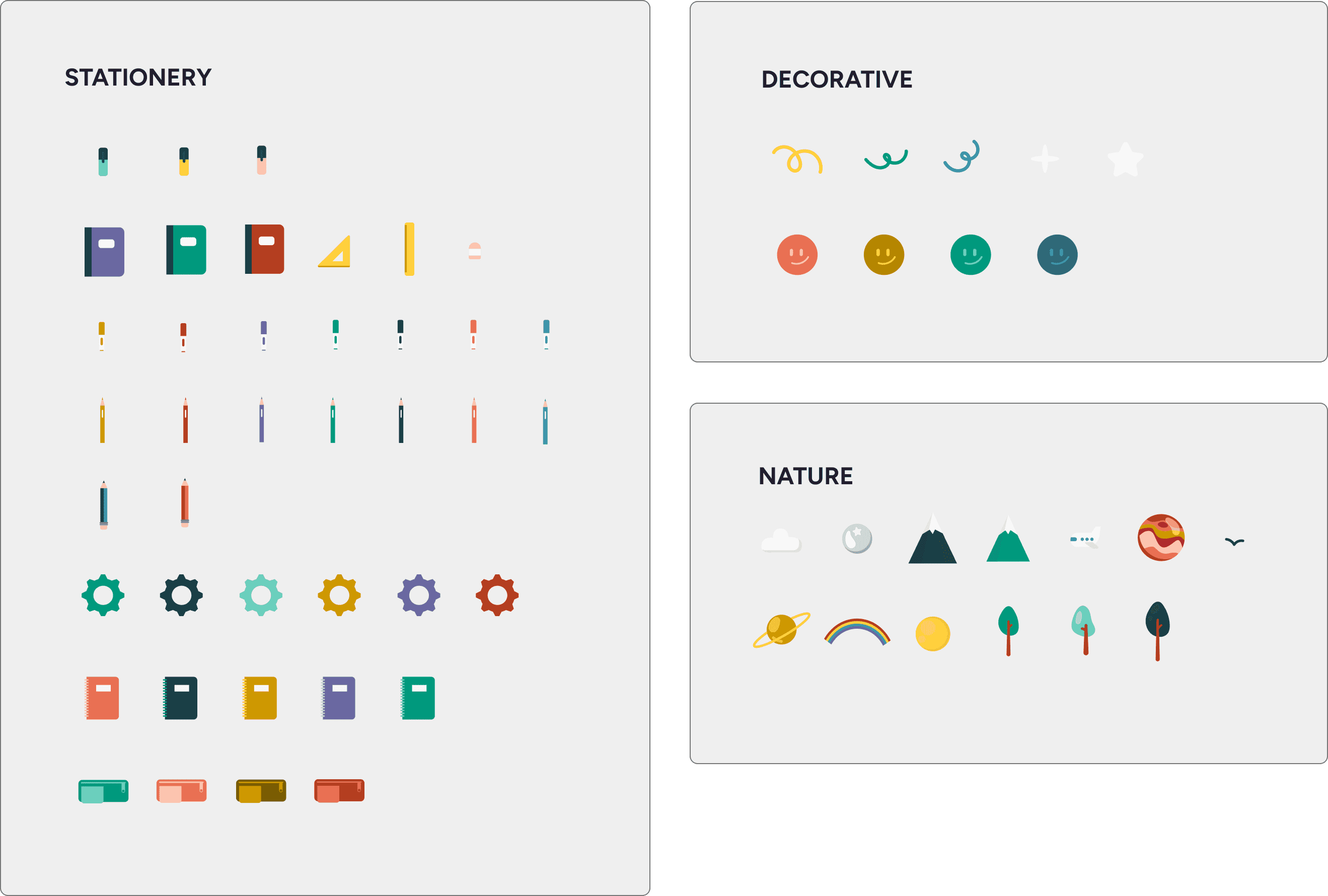
YRES made had many socials and promotions, but I noticed they lacked consistency as an overall brand. To promote consistency, I created 3 primary sets of graphical assets on Adobe Illustrator for future use. I created a Figma Design file to create a brand guide and asset repository. This Figma file could be accessed amongst everyone in the company for ease of use.
The file included instructions on how to use:
• Typography
• Colours
• Assets
• Also included examples of designs using the branding guidelines
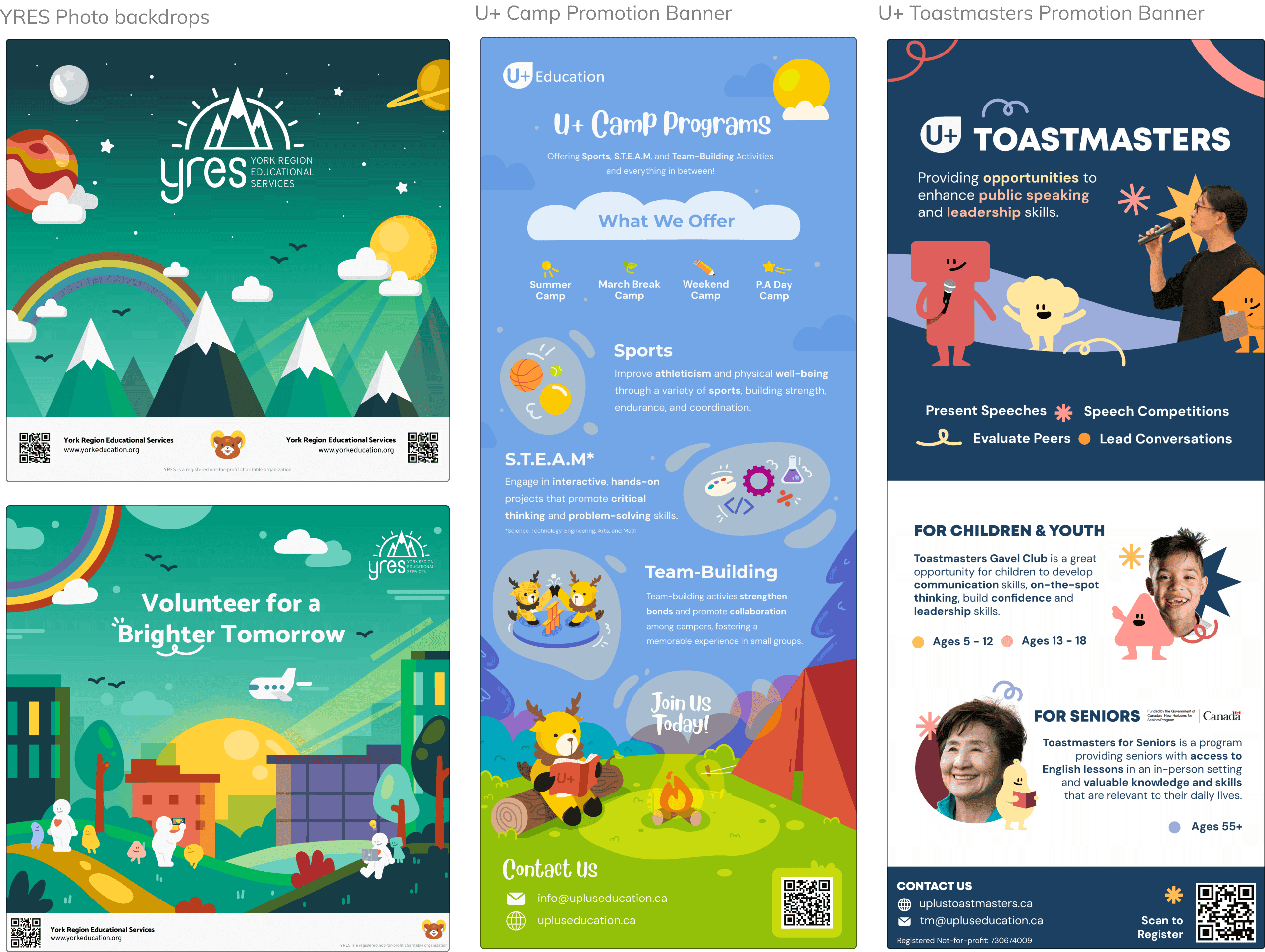
These are some of the print design projects I worked on during my time at U+ Education. They had many partner organizations, and I often tackled the graphics for multiple.
All designs were created using Adobe Illustrator.
Overall Solutions
VRES WEBPAGE REDESIGN
YRES ASSET REPOSITORY
PRINT DESIGNS
Design Systems
I learned a lot about branding and identity throughout the term at U+ Education. Furthermore, I recognized the importance of building and maintaining a proper design system and developing a system to store assets, and make them usable and accessible by other team members.
Vector Illustration
Through designing assets for the website and for the print designs, I got a lot better at vector illustration, and gained more familiarity with tools such as Adobe Illustrator. Through this, I gained a lot more experience with visual design, and learning how to construct the flow of a design to create a path for the audience's eyes to follow. I also learned how to export designs for print and web.